Core Accordion & Content Features
FAQ Title Prefix
You can install the plugin directly from your WordPress dashboard by searching for it in the plugins section. After installation, click Activate to start using it. Once activated, the plugin will be available inside the editor, allowing you to begin creating accordion layouts immediately.
Yes, you can create multiple accordion sections without limitations. Each accordion can have its own settings and content.Add multiple accordion blocks
- Add multiple accordion blocks
- Customize each layout independently
- Use different styles per section
- Maintain performance across all instances
Yes, you can include images, galleries, or media blocks inside accordion items. This allows you to create visually rich sections for portfolios, products, or tutorials.

The plugin is optimized for performance, and only loads required assets. This ensures your pages remain fast and responsive even when using multiple accordion sections.
You can access documentation, tutorials, and support resources to help you get started. If you need further assistance, feel free to contact us here
FAQ Title Suffix
 Google I/O 2025
May 13–15, 2025 (Expected)
Google I/O 2025
May 13–15, 2025 (Expected)
Discussion Topics-
- Google I/O showcases updates to Android, Search, Gemini AI, Chrome, and Workspace.
- Includes hands-on technical sessions and coding workshops.
- One of the world’s most anticipated developer events.
Venue: Shoreline Amphitheatre, California
Location: California, USA
Speakers
- Sundar Pichai (Google CEO)
- Google product & AI teams
 Microsoft Build 2025
May 20-22, 2025
Microsoft Build 2025
May 20-22, 2025
Discussion Topics-
- Build focuses on cloud, AI, Copilot integrations, and modern app development.
- Engineers learn new tools, frameworks, and best practices.
- A core event for developers building on Microsoft’s ecosystem.
Venue: Las Vegas Convention Center, USA
Location: Seattle, USA
Speakers
- Satya Nadella (Microsoft CEO)
- Azure, Copilot, and .NET engineering leads
 Apple WWDC 2025
June 2–6, 2025 (Expected)
Apple WWDC 2025
June 2–6, 2025 (Expected)
Discussion Topics-
- WWDC introduces major updates to iOS, macOS, watchOS, and visionOS.
- Developers get access to labs, sessions, and early APIs.
- The event sets the direction for Apple’s software ecosystem for the year.
Venue: Apple Park, Cupertino
Location: Cupertino, USA
Speakers
- Tim Cook (Apple CEO)
- Apple software & design teams
 TechCrunch Disrupt 2025
October 2025 (Expected)
TechCrunch Disrupt 2025
October 2025 (Expected)
Discussion Topics-
- Known for Startup Battlefield, Disrupt features early-stage innovations.
- Startups compete for funding and global visibility.
- A hotspot for entrepreneurship and emerging technology.
Venue: Moscone Center, San Francisco
Location: San Francisco, USA
Speakers
- Founders of breakout startups
- Venture capital leaders from Sequoia, YC, a16z
 Web Summit 2025
November 10–13, 2025
Web Summit 2025
November 10–13, 2025
Discussion Topics-
- One of the world’s largest tech conferences with 70,000+ attendees.
- Covers AI, web development, cybersecurity, startups, and marketing.
- A powerful networking environment for global tech leaders.
Venue: Altice Arena & FIL, Lisbon
Location: Lisbon, Portugal
Speakers
- CEOs, policymakers, AI researchers
- Influential voices in tech & digital culture
FAQ Title Prefix & Suffix
Showcase Projects with Interactive Accordions
A scalable SaaS analytics platform built to handle multi-tenant data visualization. Features include real-time reporting, user segmentation, and customizable dashboards for enterprise clients.


Designed and developed a product display system focused on boosting conversions. Implemented dynamic FAQs, trust badges, and performance optimization to improve user engagement and sales.
Integrated AI to automatically generate relevant FAQs based on content and keywords. Reduced manual effort while improving content coverage and SEO performance.
Crafted an intuitive knowledge base layout using accordion structures to improve content accessibility. Focused on reducing cognitive load and enhancing navigation efficiency.
Implemented lazy loading and AJAX-based rendering to improve page speed and user experience. Reduced initial load time significantly for content-heavy pages.
FAQ Title Badges
Our comprehensive pet insurance plans are designed to cover a wide range of medical expenses, including emergency surgeries, diagnostic tests like X-rays or MRIs, and treatment for chronic conditions. We prioritize your pet’s well-being by ensuring you never have to choose between your finances and their health. Whether it’s an accidental injury or a sudden illness, our policy provides the financial support needed for high-quality care.
Filing a claim is incredibly fast and simple through our dedicated mobile app. After your vet visit, just snap a photo of the itemized invoice and upload it directly to your account. Our claims team reviews most requests within forty-eight hours, and once approved, the reimbursement is sent directly to your bank account via electronic transfer. No more waiting weeks for checks in the mail—just quick, reliable support.
Like most insurance providers, we generally do not cover medical conditions that existed before your policy’s start date or during the initial waiting period. However, we do offer coverage for “curable” conditions that have been symptom-free for at least twelve months. We recommend enrolling your pet while they are young and healthy to ensure they have the maximum possible coverage for any future health challenges they may face.
To prevent fraudulent claims, all new policies have standard waiting periods before coverage officially begins. For accidental injuries, the waiting period is only three days, while for illnesses, it is fourteen days. Certain orthopedic conditions, like cruciate ligament issues, require a six-month waiting period. These industry-standard timelines allow us to keep our premiums affordable for all responsible pet owners while maintaining a stable and sustainable insurance pool.
Yes, you have the absolute freedom to visit any licensed veterinarian, specialist, or emergency clinic in the country. Since we reimburse you directly for the costs, you are not restricted to a specific network of providers. This flexibility is especially important if you are traveling with your pet or if they require specialized care from a top-tier medical facility that may be outside your local area.
Accordion Item Subtitles
1
Yes, Easy Accordion includes a smart AI FAQ generator that helps you create structured FAQs instantly. Instead of writing each question manually, the AI processes your topic and produces clean, helpful question–answer pairs.
Steps to Generate FAQs with AI-
- Select how many FAQs to generate
- Choose Your Content Source
- Add Keywords & Focus Areas
- Write a Short Prompt
- Click “Generate FAQs”
This is especially useful for onboarding pages or large support sections. You can edit the generated content and style it using the block editor to match your website design.
2
Yes, you can present your FAQs in a slider layout to make them more dynamic and visually engaging. This mode is ideal for showcasing featured questions on landing pages. Users can navigate through items using arrows, autoplay, or swipe gestures on mobile devices.
- Clean and minimal slider UI
- Autoplay and navigation controls
- Perfect for compact spaces
3
Yes, filterable FAQ categories allow visitors to view only the topics relevant to them. This is helpful when you offer multiple services or products with diverse question sets. Users simply click a category button to reveal matching FAQs, keeping the interface clean and structured.
- Category-based filtering
- Instant content switching
- Ideal for multi-topic websites
4
Yes, all three navigation features can work together seamlessly. This allows users to search within categories, browse paginated results, and filter topics effortlessly.
Such a system is perfect for documentation libraries, SaaS help centers, and advanced support pages. The combination ensures users always find answers quickly and efficiently.
5
Yes, you can adjust slider animations by modifying transition effects, movement speed, autoplay behavior, and navigation styles. These settings enable you to create smooth, brand-aligned transitions. Designers can also adjust spacing and typography to refine visuals further.
6
Yes, the plugin supports ARIA attributes, keyboard navigation, and screen-reader-friendly markup. Users can open and close accordion items using keyboard keys, ensuring compliance with accessibility standards. This is essential for educational institutions, government sites, and inclusive businesses.
7
Yes, pagination is available and helps organize large FAQ libraries into smaller, easy-to-read sections. Instead of overwhelming users with long scrolling pages, FAQs can be split into multiple pages for better accessibility. This also improves performance by loading fewer items at once. The page navigation controls make it simple to browse FAQs efficiently.
Accordion Featured Icon
Project and Case Studies
This section highlights a selection of projects I’ve worked on, showing how I approach different challenges and deliver practical, well-crafted solutions for clients.
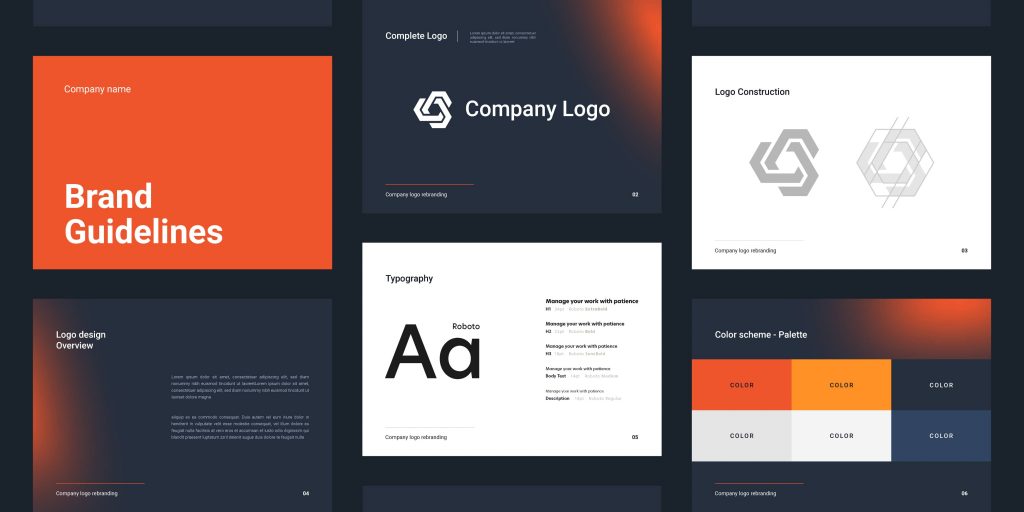
 Brand Identity Design
A complete brand identity project including logo design, color palette, typography, and visual guidelines.
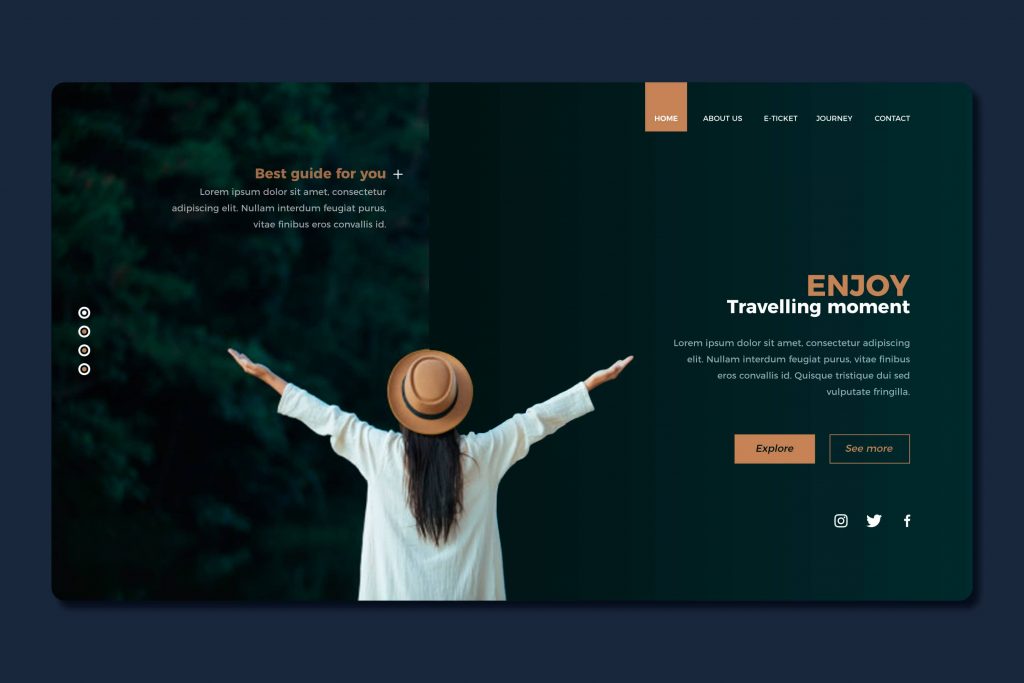
 Website Design & Development
A responsive website designed and developed to deliver a clean user experience. The project emphasized usability, performance, and modern layout techniques tailored to client goals.
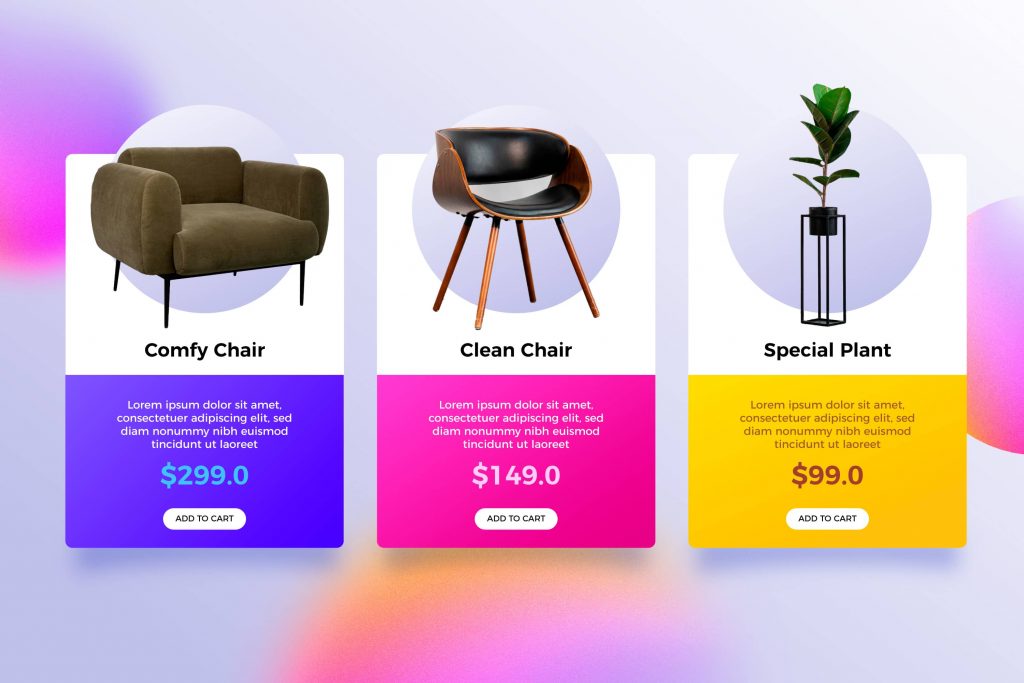
 E-commerce Product Showcase
An online store layout designed to highlight products visually while maintaining a smooth shopping experience.
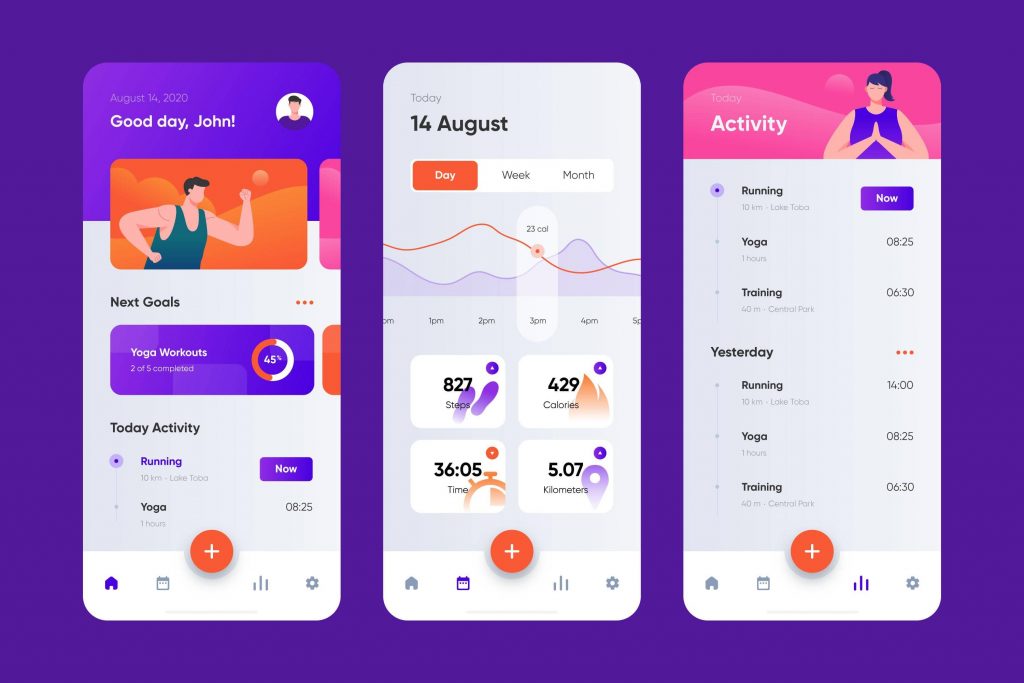
 Mobile App Interface Design
A user-friendly mobile app interface focusing on intuitive navigation and visual clarity. The design balanced aesthetics with functionality to enhance overall user engagement.
 Marketing Campaign Visuals
Creative assets developed for a digital marketing campaign, including banners, social media graphics, and promotional visuals.

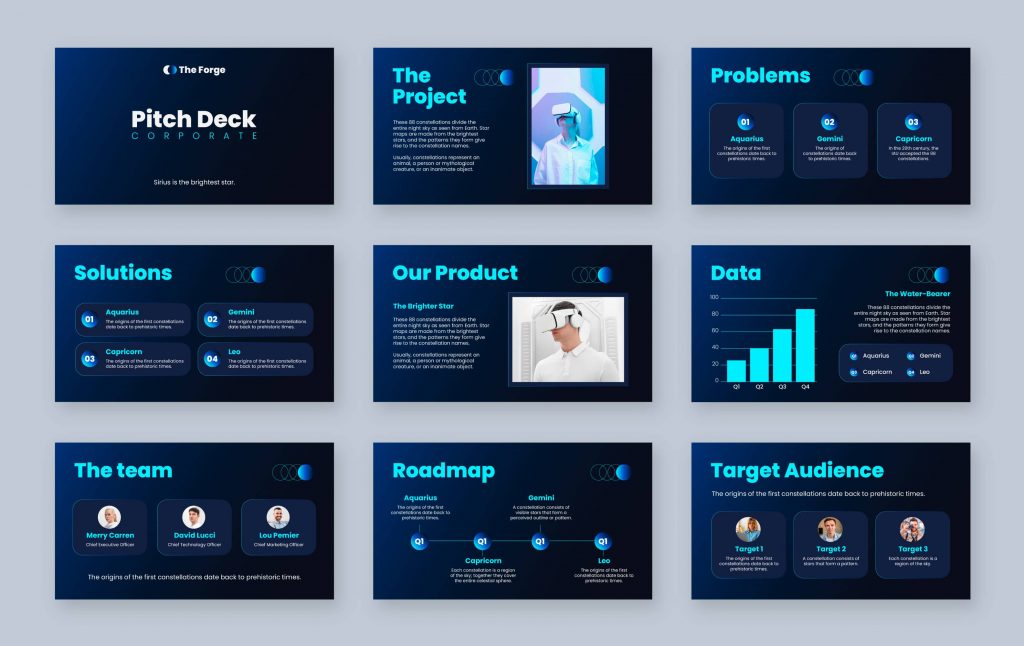
 Corporate Presentation Design
A professionally designed presentation aimed at communicating business ideas clearly. The project focused on layout structure, visual hierarchy, and brand-aligned design elements.
FAQ Content Equal Height
1
This module introduces the core concepts of the course and sets the foundation for everything that follows. You will gain a clear understanding of the subject, the tools involved, and the overall learning path. It is designed to help you get comfortable before moving into more detailed lessons.
2
In this lesson, you will set up your working environment so you can follow along with the course effectively. A proper setup ensures that you avoid unnecessary issues later and can focus on learning instead of troubleshooting.
Setup includes:
- Installing required software and tools
- Configuring essential settings
- Understanding the workspace layout
- Preparing files and resources
- Testing your setup for errors
Taking time to complete this setup properly will make the rest of the course smoother and more efficient.
3
This lesson focuses on the fundamental concepts that are essential for progressing through the course. These concepts form the backbone of the subject and are used repeatedly in later lessons. Understanding them early will make advanced topics much easier to grasp.
Each concept is explained in a simple and structured way, supported by examples that show how it works in practice. The goal is to move beyond theory and help you understand how these ideas apply in real-world situations.
By the end of this section, you should feel confident in recognizing and applying these concepts when working on exercises or real projects.
4
This lesson includes a real example to demonstrate how the concepts work in practice. Seeing the process visually helps reinforce learning and improves understanding.
The example walks through each step so you can follow along and replicate the results on your own.
Image Title in Collapsed State
Our Signature Cocktails
Discover our handcrafted cocktails, mixed with bold flavors,
fresh ingredients, and a touch of artistry.
Icon in Collapsed State
Elevate Your Looks to Expert Hands
One-Click FAQ Close Button
Book: Thinking Clearly in a Complex World
Every decision we make begins as a thought, yet few of us take the time to examine how those thoughts are formed. From the moment we wake up, our minds start processing information—filtering, categorizing, and reacting based on patterns built over time.
These patterns are not always visible to us. They are shaped by past experiences, beliefs, and assumptions that quietly influence how we interpret the world. When left unchecked, they can lead to repeated mistakes or narrow perspectives.
Understanding the nature of thought is the first step toward gaining control over it. By slowing down and observing how ideas form, we begin to separate automatic reactions from deliberate reasoning.
Bias is not always obvious. In many cases, it operates beneath the surface, shaping our conclusions before we are even aware of it. We tend to favor information that confirms what we already believe, while ignoring details that challenge our views.
This tendency creates a distorted version of reality—one where we feel confident, but not necessarily correct. Over time, these patterns reinforce themselves, making it harder to question our assumptions.
Recognizing bias requires effort. It involves stepping back, questioning your initial reaction, and asking whether alternative explanations exist. This process may feel uncomfortable, but it leads to clearer and more balanced thinking.
Clear thinking does not happen by accident. It is the result of structure, discipline, and the ability to break complex ideas into manageable parts. When faced with a problem, many people attempt to solve everything at once, often leading to confusion or incomplete solutions.
A structured approach changes this. By defining the problem, identifying key factors, and addressing each part step by step, we reduce complexity and improve accuracy. This method also makes it easier to communicate ideas to others.
Over time, structured thinking becomes a habit. It allows you to approach unfamiliar situations with confidence, knowing that even complex challenges can be understood through a systematic process.
Knowledge gained from reading or listening is valuable, but it is incomplete without experience. Real understanding develops when concepts are applied in practical situations. Mistakes, adjustments, and repeated attempts all contribute to deeper learning.
In real-world scenarios, conditions are rarely perfect. Unexpected variables, time pressure, and incomplete information challenge our ability to apply what we know. These challenges are not obstacles—they are essential parts of the learning process.
By engaging directly with problems, we begin to connect theory with action. This connection strengthens memory, improves adaptability, and builds confidence over time.
Uncertainty is unavoidable. Whether in business, personal life, or complex systems, we often make decisions without having all the information we would like. The challenge is not to eliminate uncertainty, but to navigate it effectively.
Good decision-making under uncertainty requires balancing risk and judgment. It involves evaluating possible outcomes, considering probabilities, and remaining flexible when conditions change.
Rather than waiting for perfect clarity, effective thinkers learn to act with incomplete information while remaining open to revision. This ability separates reactive decisions from thoughtful ones.
Learning does not end when information is acquired. In fact, the real process begins after that point. Continuous learning is about revisiting ideas, refining understanding, and adapting knowledge to new situations.
Many people assume that learning is a one-time effort, but growth requires consistency. Small, repeated improvements over time create a deeper and more lasting impact than occasional bursts of effort.
Developing a habit of learning ensures that knowledge remains relevant. It also encourages curiosity, which is essential for adapting to change and exploring new opportunities.