

Are you looking for the best FAQ plugins for WordPress and WooCommerce to add comprehensive FAQs effortlessly and grow conversions? In addition, FAQs increase visibility in AI answers & SERPs and drive more traffic to your site.
In this blog, I’ll discuss more than 10 best FAQ WordPress plugins along with their pros and cons. By the end of this blog, you will be able to choose the best Q&A plugin for your specific needs.
An FAQ section is no longer optional for WordPress websites. Whether you run a blog, a service business, or a WooCommerce store, your visitors always have questions. How you answer those questions directly affects your bounce rate, your support workload, and your conversion rate.
The right FAQ plugin makes the process simple. It helps you organize questions, display them in an attractive accordion layout, add schema markup for search engines, and keep your site running fast. This list covers the 10 best FAQ plugins for WordPress and WooCommerce to help you find the right fit.
What to Look for in the Best FAQ & Accordion Plugin
Before picking a plugin, consider these key criteria:
- Design flexibility: Can you customize colors, fonts, icons, and layouts without writing code?
- Display options: Does it support accordion, toggle, list, horizontal, and image layouts?
- Page builder compatibility: Does it work with Gutenberg, Elementor, Divi, or your preferred builder?
- FAQ Schema Markup: Does it automatically add structured data for Google rich snippets and AI visibility?
- WooCommerce support: Can you add product-specific FAQs directly on product pages?
- Search functionality: Can visitors search through FAQs quickly?
- AI content generation: Can the plugin help you write FAQ content automatically?
- Performance: Is it lightweight and optimized to avoid slowing down your site?
List of the Best FAQ WordPress Plugins
| Plugins | Active Users | Ratings | Price |
|---|---|---|---|
| Easy Accordion | 80,000+ | 4.9 | Free / $29 |
| Ultimate FAQ Accordion | 30,000+ | 4.6 | Free / $67 |
| Accordion FAQ | 30,000+ | 4.6 | Free / $59 |
| Quick and Easy FAQs | 10,000+ | 4.6 | Free |
| Helpie FAQ | 9,000+ | 4.6 | Free / $39 |
| Arconix FAQ | 6,000+ | 4.7 | Free |
| SFN Easy FAQ Manager | 2,000+ | 4.4 | Free |
| Advanced FAQ Manager | 2,000+ | 3.8 | Free / $39 |
| Happy WooCommerce FAQs | 1,000+ | 4.8 | Free / $30 |
| FAQly – Ultimate FAQ | 1,000+ | 3.8 | Free / $15 |
1. Easy Accordion
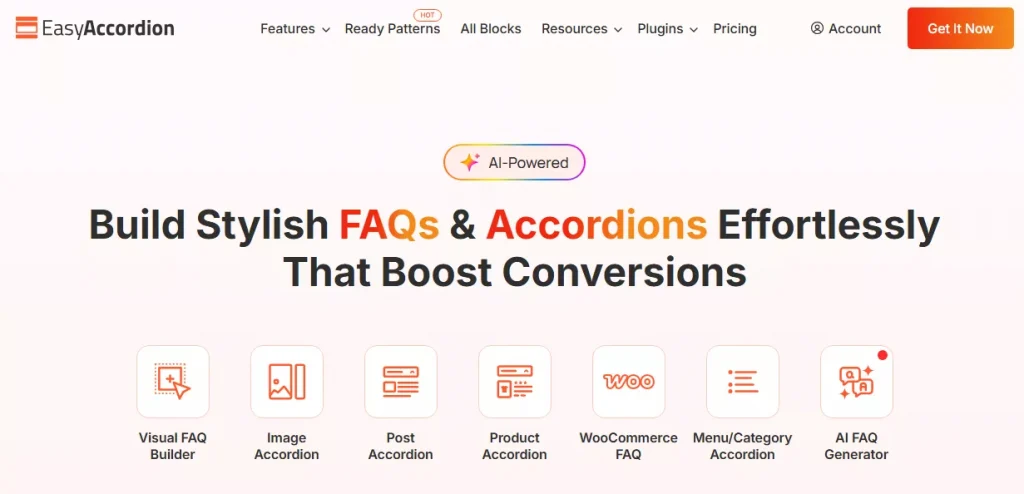
Easy Accordion is the most feature-rich FAQ and accordion plugin available, trusted by 100,000+ WordPress and WooCommerce sites since 2015 with a 4.9-star rating. It is the only plugin on this list offering horizontal, image, post, product, and category accordions alongside standard FAQ layouts.
The Pro version adds AI-powered FAQ generation, AJAX live search, FAQ analytics, anchor links, nested accordions, and an accordion slider. It works seamlessly with Gutenberg, Elementor, Divi, WP Bakery, and every major page builder.
Key Features
- 15+ specialized Gutenberg blocks for FAQs and accordions
- Hundreds of ready FAQ & Accordion patterns to use
- Built-in FAQ Schema Markup for SEO and AI visibility
- AI-powered FAQ generation to create content in seconds
- Visual FAQ builder with reusable custom templates
- Elementor and popular page builders add-ons
- Dedicated WooCommerce product FAQ and category accordion blocks
- Responsive design with custom breakpoints for every device
Pros:
- Most complete feature set with vertical, horizontal, image, post, product, and category accordions in one plugin
- FAQ Schema Markup and AI generation help you rank in Google rich snippets and AI-chats
- Fully compatible with Gutenberg, Elementor, Divi, WP Bakery, and all WooCommerce setups
Cons:
- Advanced features like AJAX search, accordion slider, and analytics require the premium version
- The large number of options can feel overwhelming for users who just need a basic FAQ list
Best For: WordPress and WooCommerce sites that need a full-featured, visually rich FAQ and accordion builder with SEO benefits
2. Accordion FAQ
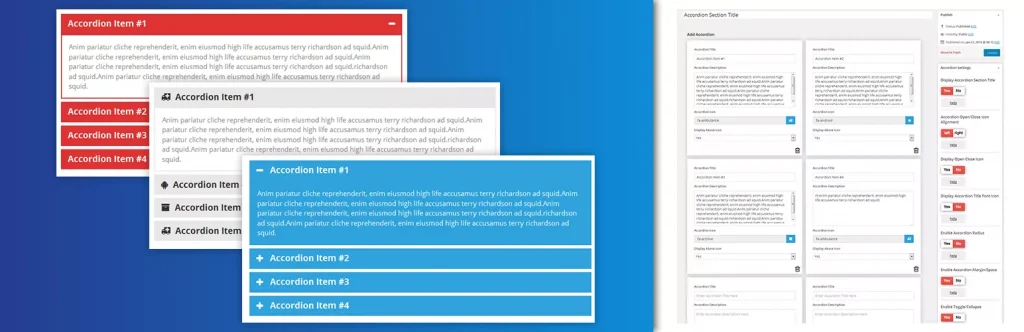
Accordion FAQ by WPShopmart is a Bootstrap-based responsive accordion builder with a drag-and-drop backend interface. It supports unlimited accordion groups, unlimited color options, Font Awesome icons, and two built-in display styles.
The free version handles basic needs well, while the Pro version adds 8 design templates, 500+ Google Fonts, 30+ animations, and hover activation. It uses shortcodes for display and works with both Elementor and Gutenberg.
Key Features
- Drag-and-drop accordion item sorting from the backend
- Unlimited color options for full visual control
- Font Awesome icon picker integrated in the editor
- Two display styles with hide/show all on page load
- Bootstrap framework for reliable cross-browser performance
- Pro: 8 design templates and 30+ content animations
Pros:
- Drag-and-drop sorting makes reordering accordion items quick and code-free
- Unlimited color options and Font Awesome support offer decent customization in the free version
- Bootstrap-based and fully responsive across all devices and browsers
Cons:
- No FAQ Schema Markup in the free version, missing key SEO structured data benefits
- Heavy reliance on shortcodes makes it less intuitive for native Gutenberg users
Best For: Users who want a simple, shortcode-based responsive accordion without complex setup
3. Ultimate FAQ Accordion
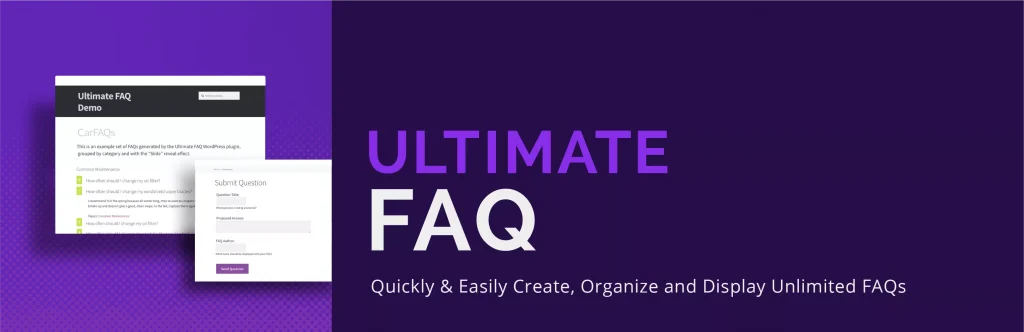
Ultimate FAQ Accordion by Etoile Web Design is a beginner-friendly plugin focused on clean FAQ management and multilingual support. It uses a custom post type, supports unlimited FAQs with categories and tags, and includes Gutenberg blocks, patterns, and shortcodes for display.
It automatically adds FAQPage structured data in LD+JSON format and tracks FAQ view counts out of the box. The Pro version adds OpenAI integration for AI-generated FAQs and expanded styling options.
Key Features
- Unlimited FAQ entries with categories and tags
- Automatic FAQPage structured data in LD+JSON format
- Built-in FAQ view count statistics
- Works with WPML, Loco Translate, and Polylang
- Gutenberg blocks, patterns, and shortcodes for flexible display
- Pro: OpenAI integration for AI-generated FAQ content
Pros:
- Built-in FAQ Schema Markup automatically adds structured data for better search engine visibility
- Strong multilingual support with WPML, Loco Translate, and Polylang compatibility
- Automatic view count tracking shows which FAQ entries get the most attention
Cons:
- Visual styling options are very limited in the free version
- AI FAQ generation requires upgrading to the Pro version
Best For: Multilingual WordPress sites that need structured FAQ management with schema markup and basic analytics
4. Quick and Easy FAQs

Quick and Easy FAQs by Inspiry Themes is a lightweight plugin that creates FAQ entries via a custom post type and displays them through Gutenberg blocks or shortcodes. It supports list, accordion, and toggle display styles with group filtering and sorting by title or date.
There is no visual builder or schema markup, but it delivers exactly what it promises without any bloat. The shortcode system is well-documented and the plugin is translation-ready with RTL support included.
Key Features
- Three display styles: list, accordion, and toggle
- FAQ group filtering and sorting by title or date
- Gutenberg block and shortcode support for flexible placement
- Settings page for basic color customization
- Custom CSS box for additional styling control
- RTL and translation-ready out of the box
Pros:
- Very lightweight with no unnecessary features adding load to your site
- Supports multiple display styles with filterable group options
- Well-documented shortcode parameters for flexible FAQ display and ordering
Cons:
- No FAQ Schema Markup means missing out on Google rich snippet benefits
- No visual customization builder requires manual CSS for styling changes
Best For: Developers and technical users who want a lightweight FAQ plugin they can style themselves
5. Helpie FAQ
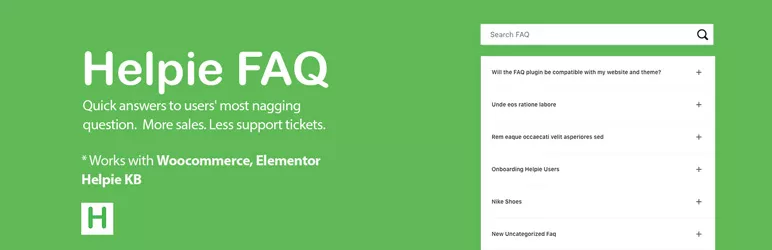
Helpie FAQ is a feature-rich plugin with a strong focus on WooCommerce integration and Elementor compatibility. It supports FAQ groups, drag-and-drop sorting, an inline search bar, and a dedicated FAQ tab directly on WooCommerce product pages.
It includes two Elementor widgets, a Gutenberg block, automatic FAQ Schema markup, and header/body styling options from the admin panel. You can also display popular or recently updated FAQs separately.
Key Features
- Dedicated FAQ tab on WooCommerce product pages
- Inline FAQ search bar for instant answer filtering
- Two dedicated Elementor widgets and a Gutenberg block
- Drag-and-drop FAQ sorting within groups
- Automatic FAQ Schema markup added on display
- FAQ header and body color, font, and padding controls
Pros:
- Strong WooCommerce integration for product-specific FAQ management by product or category
- Built-in inline search helps visitors find answers without scrolling
- Two Elementor widgets and a Gutenberg block cover the most popular page building workflows
Cons:
- Admin interface and front-end design feel dated compared to more modern alternatives
- Knowledge base docs feature is still listed as coming soon
Best For: WooCommerce stores that need product-specific FAQ management with inline search and Elementor support
6. Arconix FAQ

Arconix FAQ by Tyche Softwares is a minimal, stable FAQ plugin built on a custom post type with jQuery-powered accordion and toggle display. FAQs can be grouped using tag taxonomies and displayed with the simple [faq] shortcode.
It is deliberately lightweight with no schema markup, visual builders, or advanced styling options. What it offers is a dependable and low-maintenance FAQ solution that works reliably across different WordPress setups.
Key Features
- Custom post type-driven FAQ management
- jQuery accordion and toggle display modes
- FAQ grouping via tag taxonomies
- Load FAQs open or closed by default
- Optional return-to-top link for long FAQ pages
- Simple [faq] shortcode for easy placement anywhere
Pros:
- Lightweight and stable with a long track record of reliable performance
- Return-to-top link option improves navigation on content-heavy FAQ pages
- Tag-based taxonomy provides a simple way to group FAQs by topic
Cons:
- No FAQ Schema Markup, which is now a standard feature in most competing plugins
- Almost no visual customization available without writing custom CSS
Best For: Users who need a simple, maintenance-free FAQ solution with basic grouping and accordion display
7. SFN Easy FAQ Manager
SFN Easy FAQ Manager uses custom post types and taxonomies to manage FAQs with flexible shortcode-based display. It includes an anchor-linked combo shortcode, smooth scrolling, AJAX expand/collapse, and a dedicated FAQ search widget.
An SEO options panel provides noindex, nofollow, and noarchive controls for FAQ archive pages. It also supports redirecting all FAQ content to a single page and includes German and French translations.
Key Features
- Anchor-linked FAQ combo shortcode with smooth scrolling
- AJAX-powered expand and collapse functionality
- Dedicated FAQ search widget for focused results
- SEO archive controls: noindex, nofollow, and noarchive options
- Option to redirect all FAQs to a single dedicated page
- German and French translation support included
Pros:
- Flexible shortcode options including anchor-linked FAQ display with smooth scrolling
- SEO archive controls give precise control over how FAQ archive pages are indexed
- A dedicated search widget keeps results focused only on FAQ content
Cons:
- No FAQ Schema Markup, limiting eligibility for Google rich snippets
- No native Gutenberg block or visual builder support
Best For: Developer-oriented users who want flexible shortcode-based FAQ management with SEO archive controls
8. Advanced FAQ Manager

Advanced FAQ Manager by ThemeHigh organizes FAQs within category-based posts, where each post acts as a group. It supports multiple images in answers, a last-updated date display, per-group style overrides, social sharing buttons, and a comment box on individual FAQs.
A clone option speeds up content creation by duplicating existing FAQ sets. The color customization panel lets you adjust title and answer background and text colors globally or per group.
Key Features
- Category-based FAQ grouping with single-click publishing
- Multiple image support inside FAQ answers
- Per-group style override for title and content colors
- Social sharing buttons for Facebook, LinkedIn, and Twitter
- Comment box on individual FAQs for visitor feedback
- Clone option to duplicate existing FAQ sets quickly
Pros:
- Per-group style overrides let you customize individual FAQ groups independently from global settings
- Social share buttons allow visitors to share FAQ content directly across major platforms
- Image support inside answers lets you add visuals for more detailed and helpful responses
Cons:
- No Gutenberg block or Elementor widget, limiting usability in modern page builders
- No FAQ Schema Markup in either the free or paid version
Best For: Users who need category-based FAQ management with image-rich answers and social sharing
9. Happy WooCommerce FAQs
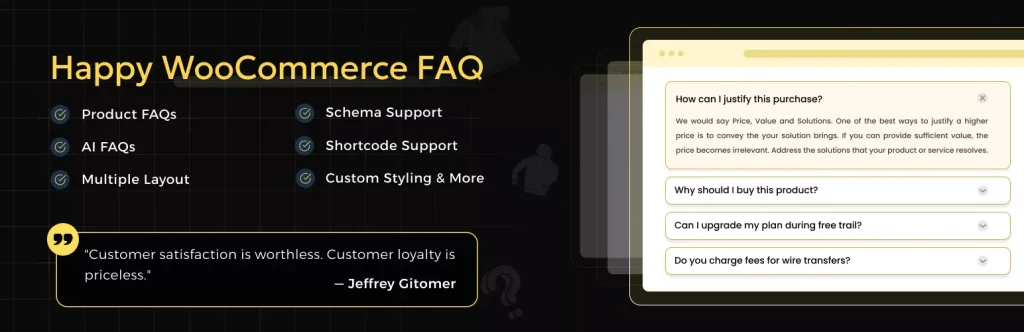
Happy WooCommerce FAQs by HappyDevs is built specifically for WooCommerce, letting you add unlimited FAQs to individual products, categories, and tags. It includes an AI FAQ generator, schema support, Gutenberg block support, and a customer comment feature on the FAQ tab.
The free version covers individual product FAQs, schema, sorting, and expand/collapse all. The Pro version adds customer question forms, variation FAQs, AJAX search, multi-column layouts, and display on shop, cart, and checkout pages.
Key Features
- Unlimited FAQs assignable to products, categories, and tags
- AI FAQ generator for automatic content creation
- Customer question submission through the product FAQ tab
- FAQ Schema markup for search engine visibility
- Gutenberg block and classic editor support
- WPML and Polylang translation compatibility
Pros:
- Purpose-built for WooCommerce with support for products, categories, and tags in one plugin
- AI FAQ generator creates product FAQ content automatically without manual writing
- Customer question submission turns product pages into an interactive Q&A resource
Cons:
- Not designed for general WordPress FAQ pages outside of WooCommerce
- Key features like AJAX search, variation FAQs, and shop page display require the paid version
Best For: WooCommerce store owners who need a dedicated product FAQ plugin with AI generation and customer interaction
10. FAQly – Ultimate FAQ
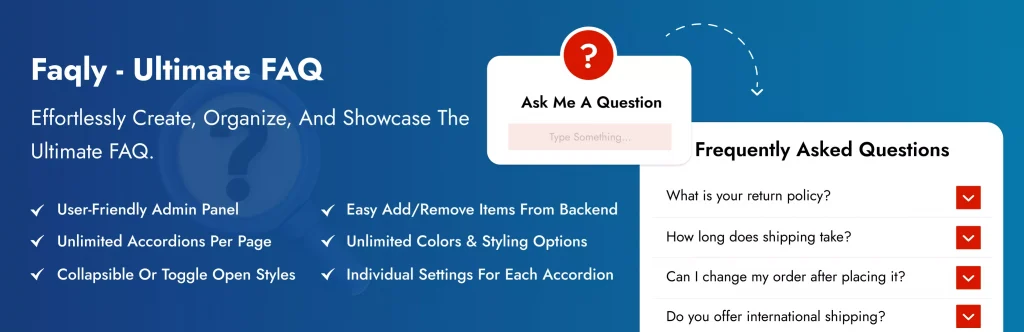
FAQly is a modern, growing FAQ plugin that delivers strong value in its free version. It supports unlimited FAQs with categories and tags, an accordion layout, built-in schema markup, view statistics, and live search. It works with Gutenberg, Elementor, and WPBakery.
The Pro version adds horizontal, vertical, and multi-column layouts, 17+ themes, 14+ icon sets, AJAX search, WooCommerce integration, nested accordions, and 25+ animation effects. It is a strong option for users who want schema and live search without paying for them.
Key Features
- Unlimited FAQs with category and tag organization
- Built-in FAQ Schema Markup for SEO visibility
- Live search bar for instant FAQ filtering
- Built-in FAQ view statistics tracking
- Gutenberg blocks, shortcodes, and block patterns supported
- Pro: Horizontal layout, 17+ themes, and WooCommerce FAQ integration
Pros:
- FAQ Schema Markup and live search are both included free, features many plugins charge for
- Built-in view statistics track which questions get the most attention
- Compatible with Gutenberg, Elementor, and WPBakery with blocks, patterns, and shortcodes
Cons:
- Newer plugin with fewer user reviews and less community history than established alternatives
- Horizontal layout, design themes, and WooCommerce support all require the paid Pro version
Best For: Users who want a modern FAQ plugin with schema markup and live search included at no cost
Final Words
Each plugin on this list serves a different type of WordPress user. WooCommerce store owners will get the most value from Happy WooCommerce FAQs or Helpie FAQ. Users who want something minimal will appreciate Quick and Easy FAQs or Arconix FAQ. Those looking for a capable free option with modern features should try FAQly.
But if you want the most complete, visually advanced, and future-proof FAQ solution for any WordPress or WooCommerce site, Easy Accordion is the clear winner. It combines design flexibility, built-in SEO schema, AI-powered content generation, and compatibility with every major page builder. Over 100,000 sites trust it for a reason.


Leave a Reply
You must be logged in to post a comment.