

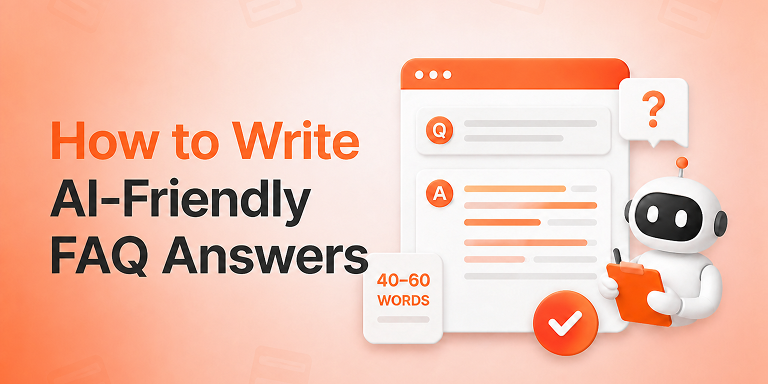
The 40-60 word rule is simple: answer every FAQ question directly, completely, and in 40 to 60 words, placed immediately after the question heading. That length gives Google’s Featured Snippets, AI Overviews, ChatGPT, and Perplexity a clean, self-contained block they can extract and quote — which makes your brand the answer instead of just another link.
Search behavior has fundamentally changed. Today, more than 60% of Google searches end without a click, because users get their answers directly from AI Overviews, Featured Snippets, and chatbots. Consequently, the question is no longer “How do I rank #1?” but rather “How do I become the sentence the AI reads out loud?”
The answer, in most cases, comes down to how you write FAQ answers. In this guide, you’ll learn exactly why the 40-60 word rule works, how to structure quotable answers step by step, and which mistakes silently disqualify your content from AI citations. Let’s get into it.
What Is the 40-60 Word Rule?
The 40-60 word rule is a content writing principle for answer engine optimization (AEO): every question-based heading should be followed by a direct, standalone answer of roughly 40 to 60 words. The answer must make complete sense on its own, without the reader — or the AI — needing any surrounding context.
Think of it as writing the quote before the journalist asks for it. Search engines and large language models scan your page for extractable chunks. Therefore, when your answer arrives pre-packaged at the ideal length, you remove every barrier between your content and the citation.
Notably, this isn’t guesswork. Study after study of Featured Snippets shows that Google’s paragraph snippets average around 40-60 words. Moreover, AI systems like ChatGPT and Perplexity favor concise, declarative passages they can lift with minimal editing. The rule simply aligns your writing with how machines already select answers.
Why Do AI Engines Prefer 40-60 Word Answers?
AI engines prefer 40-60 word answers because that length is long enough to be complete yet short enough to be extractable. Shorter answers often lack essential context, while longer ones bury the answer in detail the AI must trim — and trimming risks distortion, so the AI usually picks a cleaner source instead.
Let’s unpack the mechanics behind this.
1. Retrieval Systems Work in Chunks
Answer engines use retrieval-augmented generation (RAG): they fetch relevant passages from the web, then synthesize a response. Crucially, they retrieve chunks, not whole pages. A tight 50-word answer forms a perfect chunk. In contrast, a 300-word ramble splits across chunks and loses coherence during retrieval.
2. Snippet Real Estate Is Fixed
Featured Snippets and voice assistant responses have hard display limits. Google’s paragraph snippets truncate around 300 characters — almost exactly 45–55 words. As a result, an answer written to that length appears in full, while a longer one gets cut mid-sentence, which looks broken and reduces click-through.
3. Confidence Beats Length
AI systems weigh how certain a passage sounds. Direct, declarative openings (“Yes, FAQ schema still works in 2026 because…”) signal confidence. However, hedge-filled introductions (“There are many factors to consider when thinking about…”) signal filler. Machines skip filler, and frankly, so do humans.
4. The Answer Survives Paraphrasing
LLMs rarely quote verbatim; instead, they paraphrase. A compact answer with one clear claim survives paraphrasing intact, so your fact — and often your brand name — travels into the AI’s response. A sprawling answer, on the other hand, gets blended with other sources until your contribution disappears.
How to Write FAQ Answers That AI Engines Quote (Step by Step)
To write quotable FAQ answers, phrase the heading as a real user question, open with the direct answer in the first sentence, expand to 40-60 words with one supporting fact, use active voice throughout, and mark the whole section up with FAQ schema. Follow these six steps every time.
Step 1: Start with a Question People Actually Ask
First, mine real queries instead of inventing them. Check Google’s People Also Ask boxes, your site search logs, support tickets, and product reviews. Then, phrase your heading exactly the way users phrase it — “Does FAQ schema still work?” beats “FAQ Schema Efficacy Considerations” every single time.
Step 2: Answer in the Very First Sentence
Next, resist the urge to warm up. Your first sentence must contain the answer: yes or no, the number, the definition, the recommendation. Everything after sentence one is support. This “answer-first” structure mirrors the inverted pyramid journalists use, and it’s precisely what extraction algorithms scan for.
Step 3: Add One Fact, Then Stop
After the direct answer, add a single supporting element — a statistic, a reason, or a brief example. Consequently, you land naturally in the 40-60 word rule. If you’re tempted to add a second paragraph, put it below the core answer as optional depth. The AI quotes the top; humans who want more keep reading.
Step 4: Write in Active Voice with Concrete Subjects
Active voice shortens sentences and clarifies who does what. Compare: “Schema markup should be added by site owners” versus “Add schema markup to every FAQ section.” The second version is shorter, clearer, and far more quotable. Additionally, use concrete subjects — name the tool, the platform, the number.
Step 5: Make Every Answer Self-Contained
Never write answers that depend on earlier context. Pronouns like “it” or “this method” break extraction, because the AI may retrieve your answer without the preceding paragraph. Instead, restate the subject: “The 40-60 word rule works because…” reads perfectly even in isolation.
Step 6: Wrap It in FAQ Schema Markup
Finally, add FAQPage structured data (JSON-LD) so machines don’t have to guess where questions end and answers begin. If you use WordPress, an FAQ plugin like Easy Accordion generates this schema automatically for every accordion item — and its AI generator can even draft the 40-60 word answers from your existing content, ready for your final edit.
Before and After: The 40-60 Word Rule in Action
Theory is nice; examples are better. Here’s the same FAQ answer written both ways.
❌ Before (112 words, buried answer): “When it comes to the question of whether accordions are bad for SEO, there are quite a few things that need to be taken into consideration. Historically, some SEO professionals believed that content hidden inside collapsed elements might be devalued by search engines, and this belief was based on older statements…”
✅ After (52 words, answer-first): “No, accordions do not hurt SEO. Google fully indexes content inside collapsed accordions under mobile-first indexing, and it ranks that content normally. In fact, accordions can improve SEO indirectly, because they reduce scroll depth and improve user experience. Just ensure the content loads in the HTML rather than after a click.”
Notice the difference? The second version answers instantly, cites a mechanism, and stands alone. That’s the version an AI engine quotes.
Where Should You Apply the 40–60 Word Rule?
Apply the 40-60 word rule anywhere a machine might extract an answer: FAQ sections, the opening paragraph under every H2, product page Q&As, definition boxes, and “What is X?” intros. In short, treat every question-based heading on your site as a snippet opportunity.
Priority targets include:
Common Mistakes That Disqualify Your Answers
Even well-written answers lose citations to avoidable errors. Watch for these:
Frequently Asked Questions
Is the 40-60 word rule an official Google guideline?
No, Google has never published an official word count. However, the 40-60 word rule comes from large-scale analyses of Featured Snippets, which consistently average around 45–55 words. It’s an evidence-based best practice, not a rulebook requirement — completeness and clarity always outrank exact word counts.
Does the rule apply to ChatGPT and Perplexity, or just Google?
It applies across platforms. ChatGPT, Perplexity, Gemini, and Copilot all retrieve and synthesize concise passages more reliably than long ones. Additionally, short self-contained answers survive paraphrasing, so your facts reach users intact regardless of which AI engine handles the query.
Can I still write long-form content with this rule?
Absolutely — the rule shapes your openings, not your depth. Lead each section with a 40-60 word direct answer, then expand with examples, data, and nuance below it. As a result, you serve extraction algorithms and thorough human readers on the same page.
How do I count words without obsessing over it?
Aim for two to four sentences and roughly 250–300 characters, then move on. The range is a target zone, not a hard limit; a complete 38-word answer beats a padded 60-word one. Most editors and SEO plugins display word counts, so a quick glance suffices.
Do I need FAQ schema for the rule to work?
The rule improves extraction even without schema, but combining both multiplies your results. FAQ schema explicitly labels each question-answer pair in machine-readable JSON-LD, which increases eligibility for People Also Ask, AI Overviews, and chatbot citations. WordPress FAQ plugins add this markup automatically.
How many FAQ answers should one page have?
Five to eight focused questions serve most pages best. That range covers genuine user doubts without diluting topical focus. For pillar guides or complex products, extend to ten or twelve — but every question must relate directly to the page’s core topic.
Write the Quote You Want to Hear
AI engines don’t reward the longest answer or the cleverest one. Instead, they reward the clearest — the passage they can lift, trust, and attribute without effort. The 40-60 word rule turns that machine preference into a repeatable writing habit: question heading, answer first, one supporting fact, active voice, schema markup.
So here’s your action plan. Open your five most important pages, find every question-based heading, and rewrite the first paragraph under each to 40-60 words. Then, wrap those sections in FAQ schema. Within weeks, you’ll start seeing your sentences — and your brand — inside the answers people actually read.
Want to speed this up? A WordPress FAQ plugin with an AI generator, like Easy Accordion, drafts schema-ready FAQ answers from your existing content in seconds. You apply the 40-60 word polish; the plugin handles the structure.


Leave a Reply
You must be logged in to post a comment.