

Add Dynamic Image Flipping and adjust focal points over the Image Accordions to improve visual storytelling and highlight important content areas effectively. By adding image flipping and focal points, you will gain ultimate control over your image so that it remains visible and correctly oriented, regardless of the accordion’s dimensions.
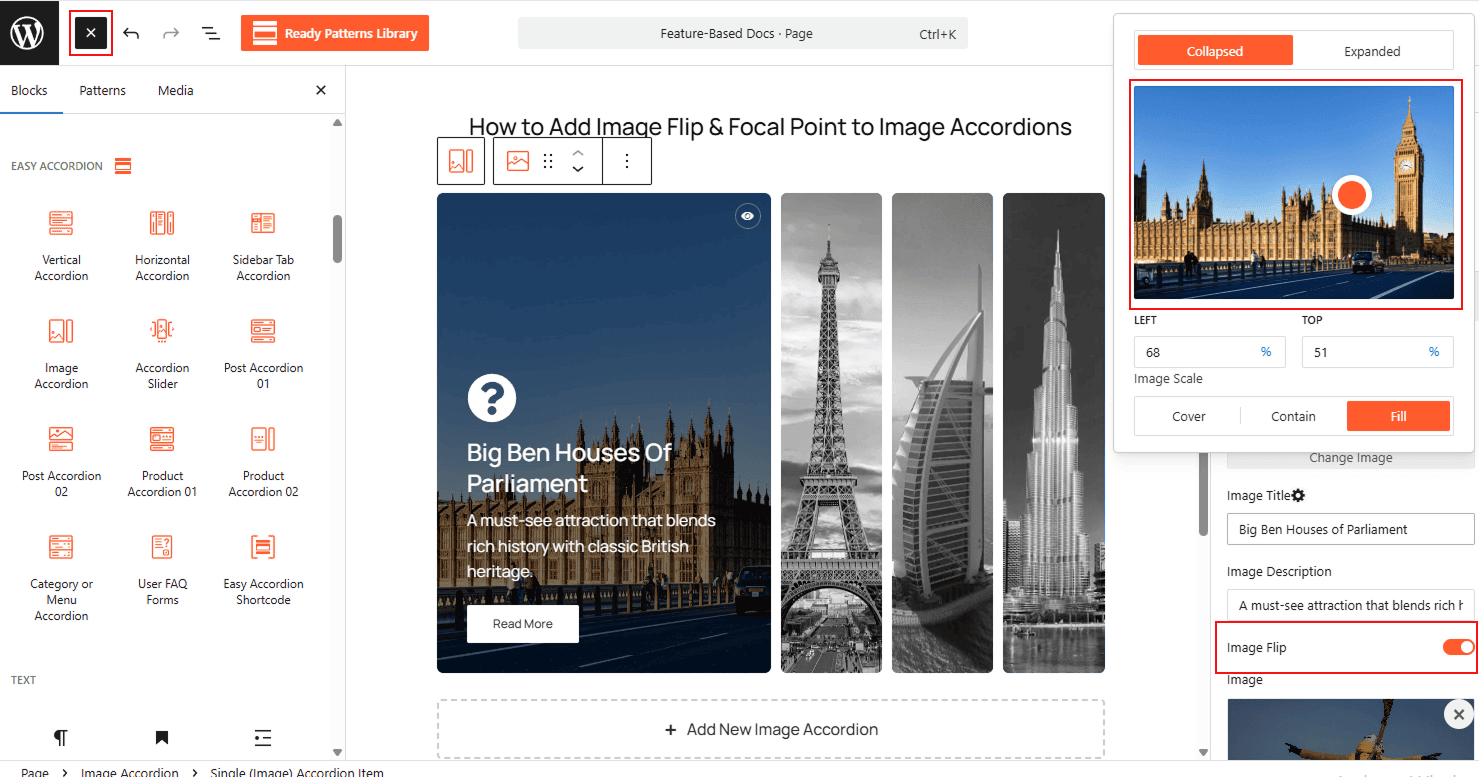
To Add Image Flip & Focal Point:
- Insert any Accordion Blocks (e.g., “Image Accordion“) block to your page.
- Select a Single (Image) Accordion Item to open its specific settings.
- To change the orientation, locate the Image Flip toggle and switch it ON.
- To adjust the focus, use the Focal Point picker (or the Left/Top percentage sliders) on the image preview to ensure the key subject is perfectly centered.
To know how to configure, please visit the detailed documentation.
Let’s watch the Live Demo of how the Image Flipping & Focal Points will look in the Image Accordions.