

You must activate your license key to make Easy Accordion fully functional and to receive automatic updates and support. After completing your purchase, a receipt email will be sent to the email address used during checkout. The email includes:
- Download link of the Pro version
- Purchase receipt ID
- Your License Key
- Documentation and video tutorial links
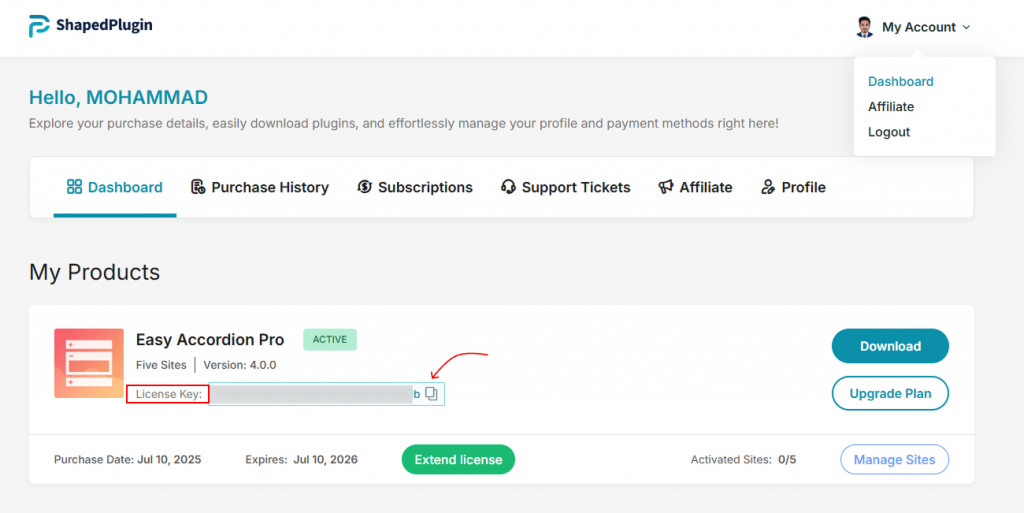
You can also access your License Key anytime from your ShapedPlugin account under the Downloads section.
Watch the video tutorial to activate your licence in minutes.
How to Activate the Easy Accordion License Key:
To activate the Easy Accordion Licence Key, follow these simple steps:
- Go to your WordPress dashboard.
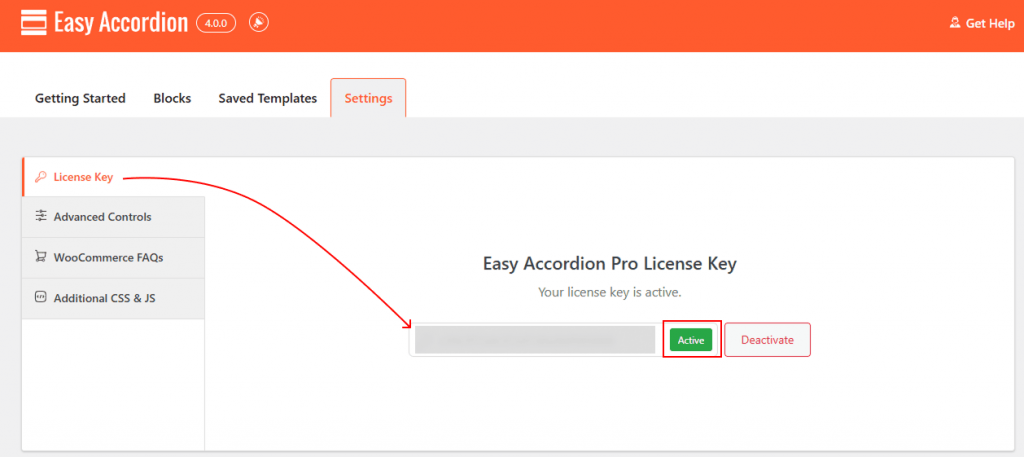
- Navigate to Easy Accordion → Settings → License Key.
- Copy your License Key from your ShapedPlugin account.
- Paste the key into the License field.
- Click Activate.
Once activated, you’ll see a confirmation message indicating your license is valid.
Note: Keeping your license active ensures compatibility with the latest version of WordPress.
How to Deactivate a License Key:
If you need to move your license to another website:
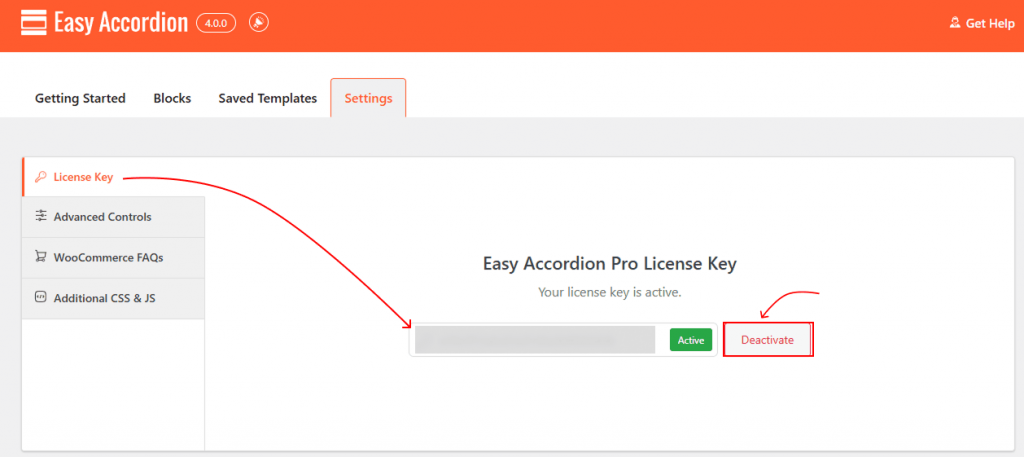
- Go to Easy Accordion → Settings → License Key.
- Click Deactivate.
- You can now activate it on a different domain (based on your license type).
You’re All Set.
Your license is now active, and Easy Accordion will automatically receive updates and improvements. Enjoy building powerful, responsive, and professional accordions with confidence.