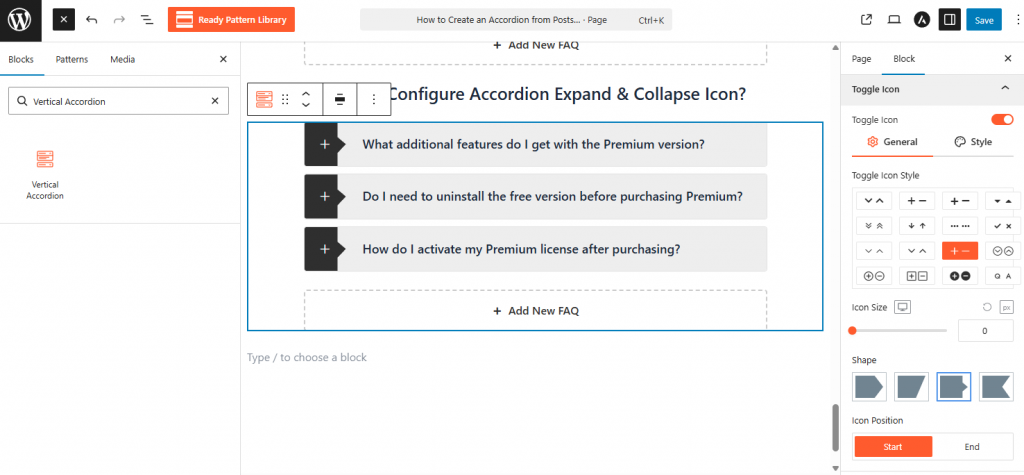
- Select the accordion block and go to the Toggle Icon panel in the Block Sidebar.
- Choose an icon pair from the 16+ styles(e.g., Plus/Minus or Chevron) and set the Icon Position to Left or Right.
- Adjust the Icon Size and Icon Color for both normal and active states to enhance visibility.