WPBakery is one of the most popular WordPress page builders. In this guide, we’ll show you how to use Easy Accordion Blocks and FAQ sections in WPBakery using Saved Templates.
Easy Accordion integrates seamlessly with WPBakery, allowing you to display FAQs, accordions, knowledge bases, product information sections, and other accordion layouts anywhere on your pages using reusable Saved Templates.
You can complete this in 2 easy steps:
- Step 1: Create a Saved Template using Accordion Blocks or import a ready-made pattern from the Rich Pattern Library.
- Step 2: Add the Accordion Blocks or FAQs sections in WPBakery using the Saved Template element.
Step 1: Create a Saved Template
Before using Easy Accordion inside WPBakery, you need at least one Saved Template.
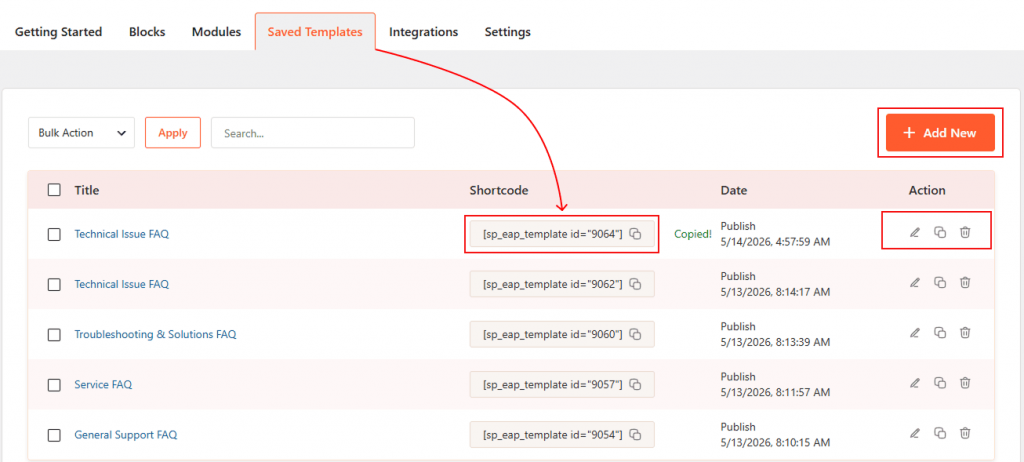
- Navigate to Easy Accordion → Saved Templates and create a new template using Accordion Blocks, or import a professionally designed pattern from the Rich Pattern Library.
- Once your template is ready, it becomes available inside the Saved Template element and can be reused throughout your website.
Step 2: Add the Accordion Blocks or FAQs Sections in WPBakery
Follow these 5 steps to display your accordion inside WPBakery.
1. Enable the WPBakery Addon
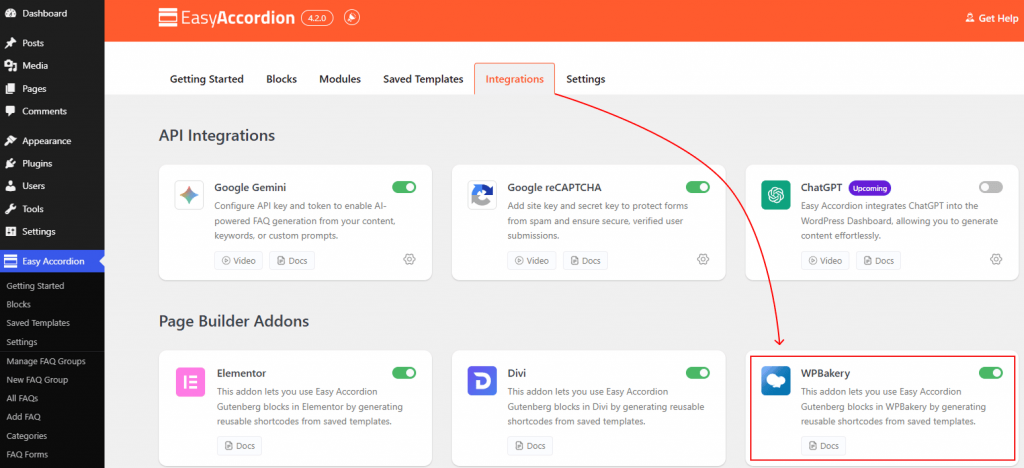
Go to Easy Accordion → Integrations from your WordPress dashboard. Scroll to Page Builder Addons, enable the WPBakery toggle, and click Save.
2. Open WPBakery Page Builder
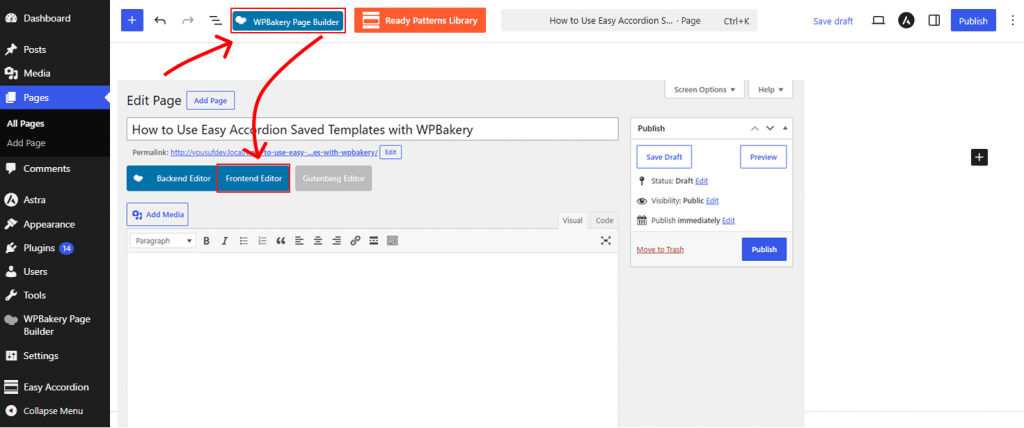
Open the page where you want to display your accordion and launch the WPBakery Editor using either the Frontend Editor or Backend Editor.
3. Add the Easy Accordion Saved Template Element
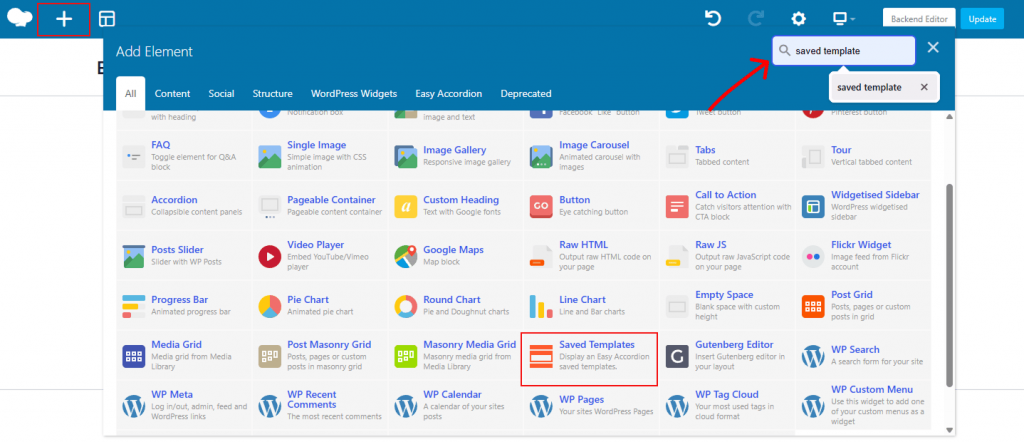
Click Add Element, search for Saved Template, and insert it into your desired section.
4. Choose Your Template
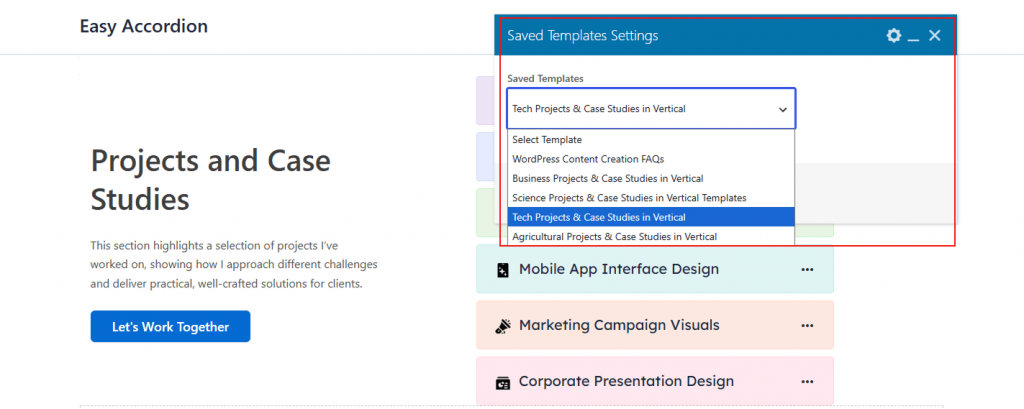
Under the element settings, select your preferred accordion template from the Choose Template dropdown.
5. Publish the Page
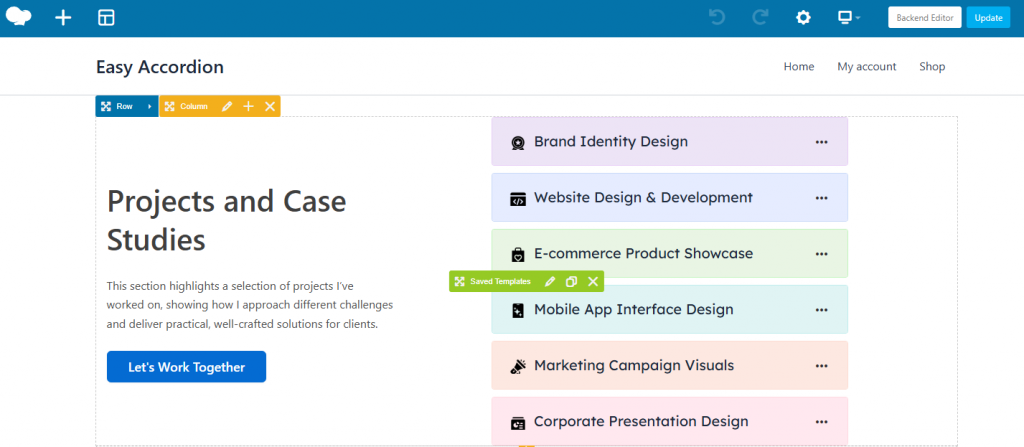
Your accordion will appear instantly in the WPBakery editor. Click Update or Publish to save your changes.
That’s it.
Live Example
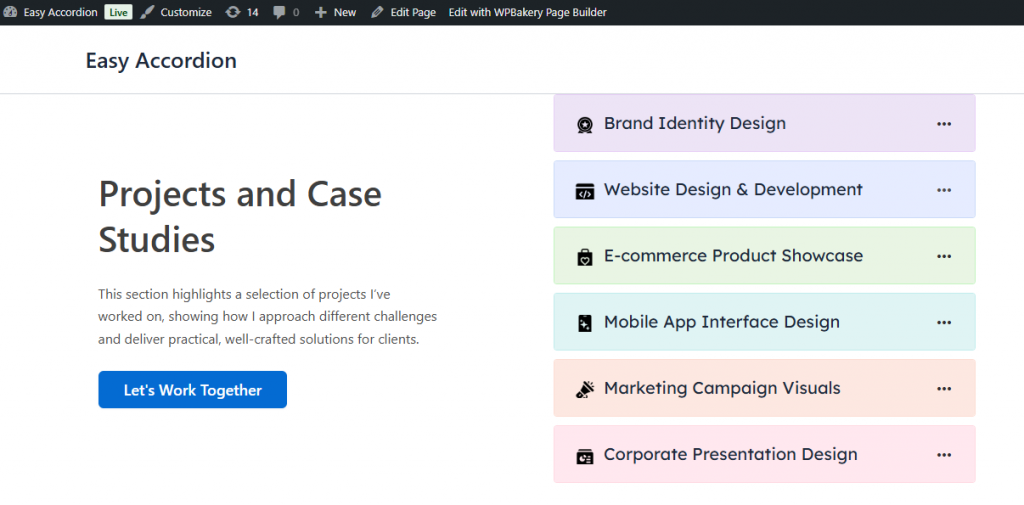
Let’s see the live example below of how your Easy Accordion section will appear inside WPBakery.