

Keeping Easy Accordion updated ensures you receive the latest features, performance improvements, security patches, and compatibility updates. We regularly release updates to maintain compatibility with the latest version of WordPress.
Automatic Updates (Recommended):
If your license key is activated, you can update the plugin directly from your WordPress dashboard.
To update automatically:
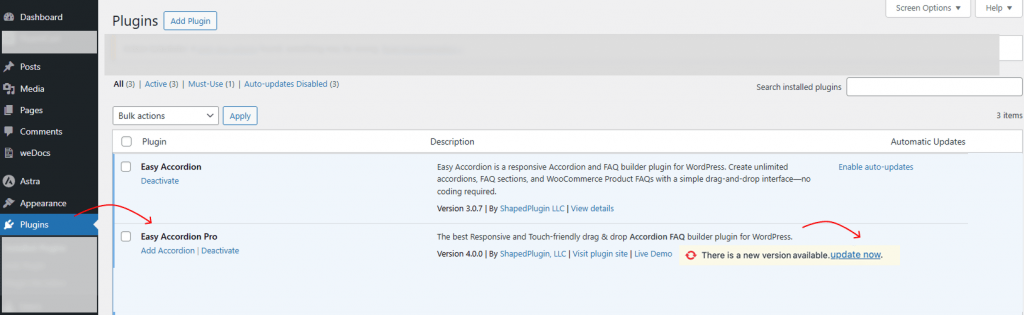
- Go to Dashboard → Updates or Plugins → Installed Plugins
- Locate Easy Accordion.
- Click Update Now.
That’s it — WordPress will handle the rest.
✅ Make sure your license key is active to receive automatic update notifications.
Manual Update (Alternative Method)
If automatic updates are not available, follow these steps:
- Download the latest version from your ShapedPlugin account.
- Go to Plugins → Add New → Upload Plugin.
- Upload the new .zip file.
- Click Install Now.
WordPress will automatically replace the old version with the new one without affecting your existing settings or data.
Tips to Follow Before Updating the Plugin:
Although updates are safe, we recommend:
- Backing up your website.
- Ensure your license key is active.
- Update WordPress to the latest version.
Now, your plugin is updated. Once updated, you’ll have access to the newest improvements, optimizations, and enhancements.