

The Custom Linking to FAQ Titles feature allows you to add a custom link to a single accordion item, directing it to external or internal pages. By using this, you can transform your accordion into a dynamic navigation menu or directory, directing users to relevant articles or documentation while maintaining a clean, collapsible layout.
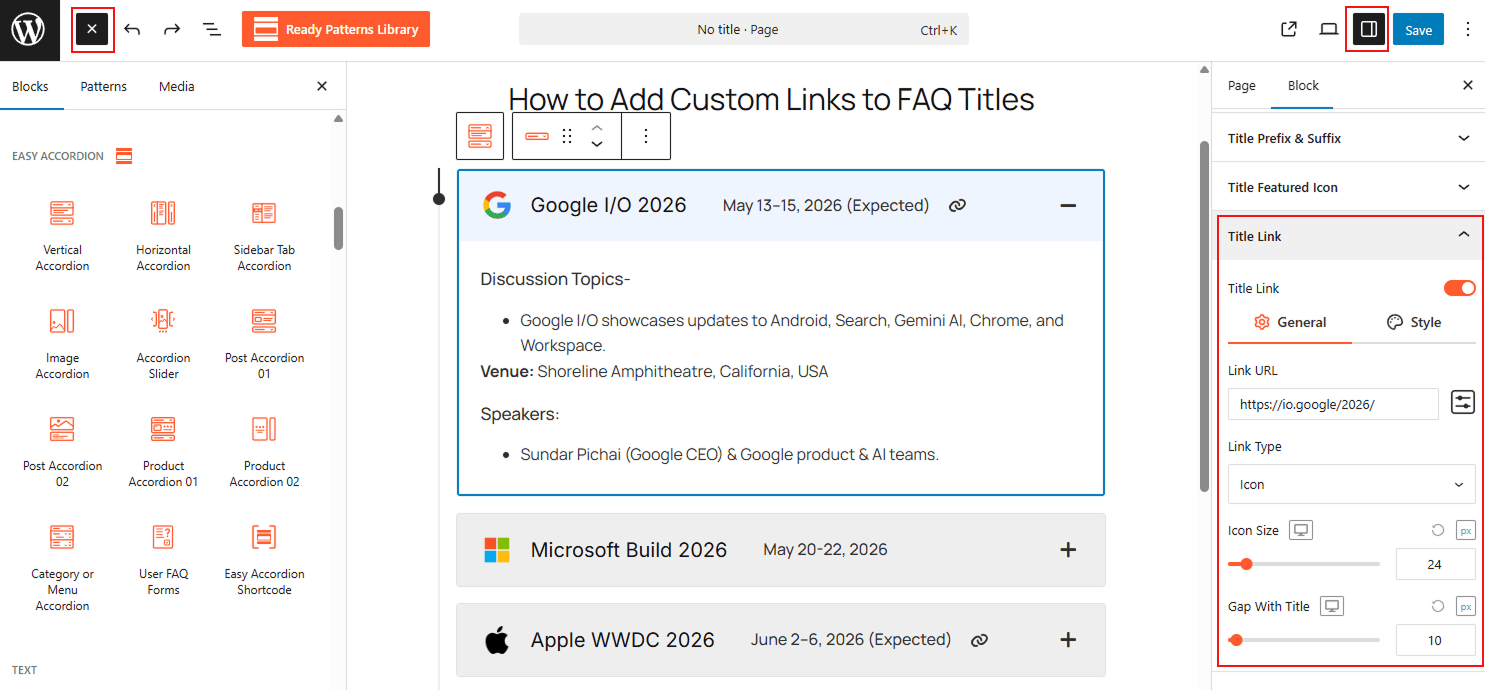
To Add Custom Links to FAQ Titles:
- Insert any Accordion Blocks (e.g., “Horizontal Accordion“) block to your page.
- Select a Single Accordion Item within the block.
- In the item settings, locate the Title Custom Link field and enter your URL.
- Toggle Open in New Tab if you are linking to an external site.
To know how to configure, please visit the detailed documentation.
Let’s watch a Live Demo of how Custom Linking to FAQ Titles works.