

Add a dynamic Read More Button to your Post or Image Accordion with customizable buttons, helping users explore more without cluttering the layout. Simply enable it, customize the button, and give users the option to dive deeper into long-form content only when they need it.
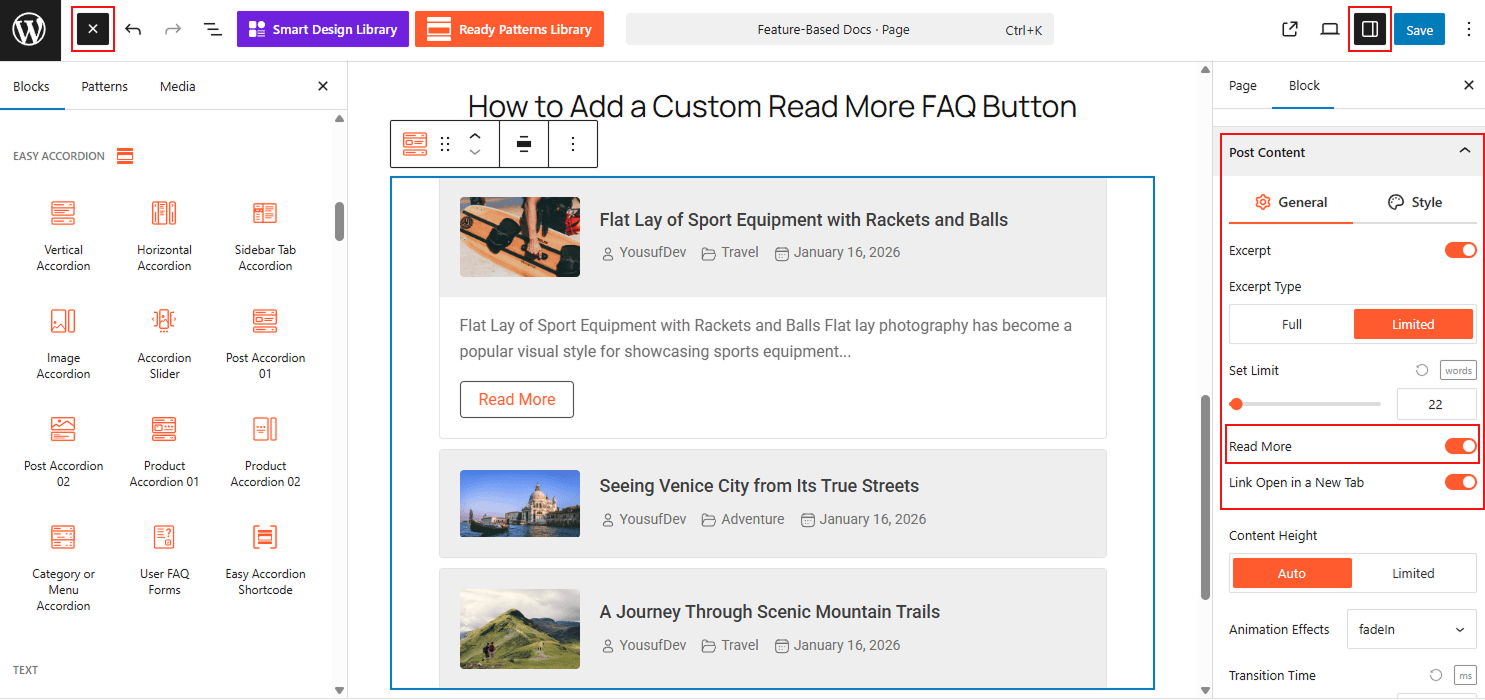
To Add Read More Button:
- Insert any Accordion Blocks (e.g., “Post or Image Accordion“) block to your page.
- Move to the Content panel.
- Toggle the Read More button to make it visible.
- Customize the button as needed from the styling panel.
To know how to configure, please visit the detailed documentation.
Let’s watch the Live Demo of how the Custom Read More Button works in Action.