

Let your user open images in a full-screen pop-up for a distraction-free viewing experience. By enabling expanded Image Lightbox from 15+ styles, you can showcase high-quality gallery images or product photos in a detailed view within an Image Accordion.
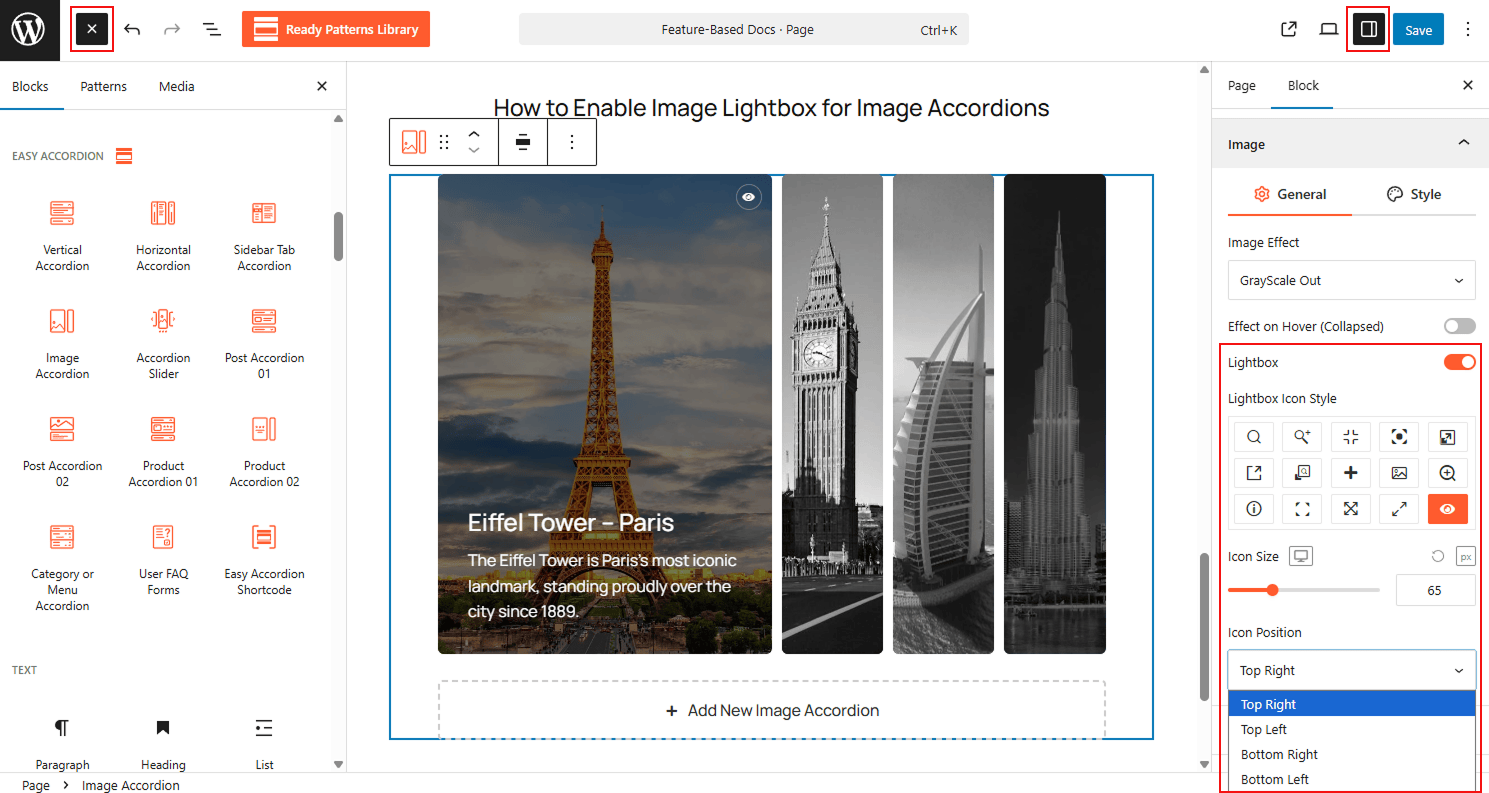
To Enable Image Lightbox:
- Insert any Accordion Blocks (e.g., “Image Accordion“) block to your page.
- Navigate to the Settings panel in the sidebar.
- Toggle the Enable Lightbox switch to ON.
- Select preferred icons and customize if needed.
- Once finished, the user can now click the images to expand them into the lightbox view.
To know how to configure, please visit the detailed documentation.
Let’s watch the Live Demo of how the Image Lightbox works in Accordions.