

Customize each accordion item individually to achieve precise control over styling and behavior. By clicking on an accordion item, you can easily customize titles, add featured icons, and suffixes & prefixes. Moreover, you can add style to each accordion by adding unique colors, icons, or backgrounds that differ from the rest of the group.
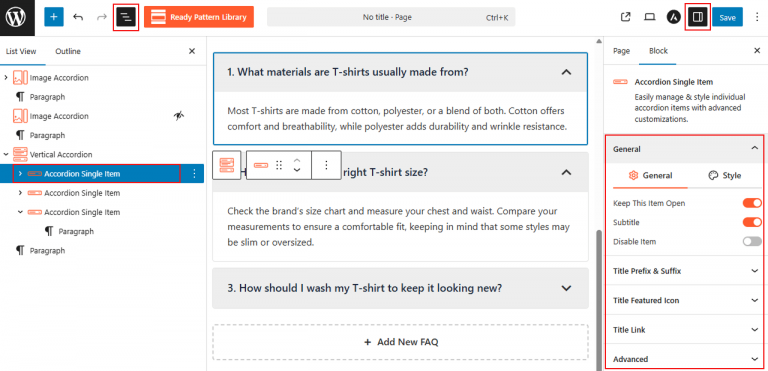
To Customize Single Accordion Items:
- Insert any Accordion Blocks (e.g., “Vertical Accordion“) block to your page.
- Click directly on the specific Accordion Single Item you wish to edit.
- Use the Item Settings sidebar to override global styles for individual accordion items.
- Add prefixes or suffixes, set custom title links, and assign a featured icon as needed for per item.
- Apply unique styling like background color—without affecting other items.
To know more details, please visit the detailed documentation.
Let’s watch a Live Demo of how a customized single accordion item looks in the accordions.