

The One-Click FAQ Close Button lets your users quickly open or close FAQs with a dedicated button, improving browsing control and overall usability. If your accordions contain long FAQs, simply enabling this makes it easier for users to collapse the content without scrolling back to the header.
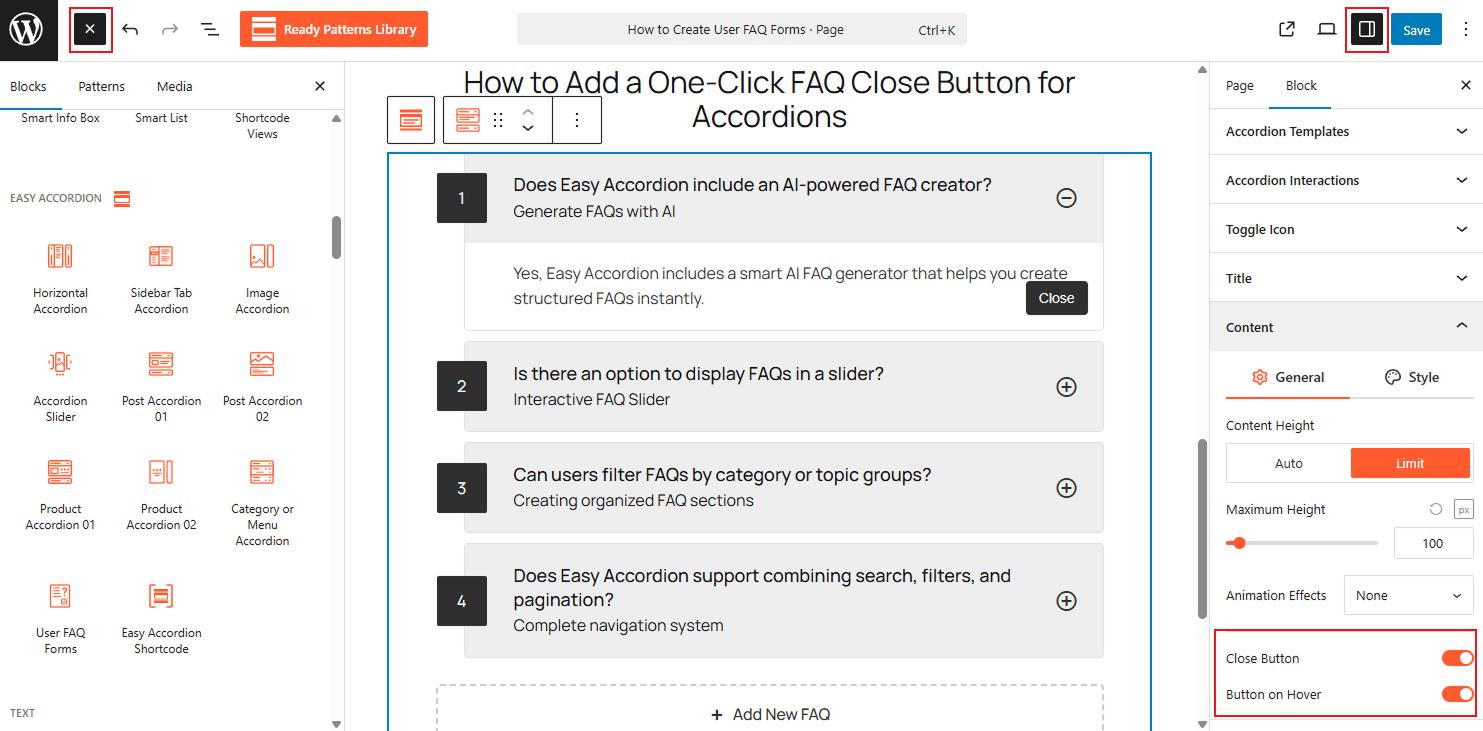
To Add a One-Click Close Button:
- Insert any Accordion Blocks (e.g., “Vertical Accordion“) block to your page.
- In the block settings sidebar, go to the Content panel.
- Enable the Close Button toggle.
- Customize the button text (e.g., “Close”) and choose its alignment and styling in the Style tab.
To know how to configure, please visit the detailed documentation.
Let’s watch the Live of One-Click Close Button in Action.