

Enhance your accordion titles by adding Featured Icons that match the topic or intent, improving visual appeal and making content easier to scan. Adding a static icon next to each title serves as a clear visual cue, helping users quickly recognize the content type. Simply, enable it, add socials, a business icon, or a wide range of icons from the rich icon library, or add custom ones, making it easy to grab visitors’ attention.
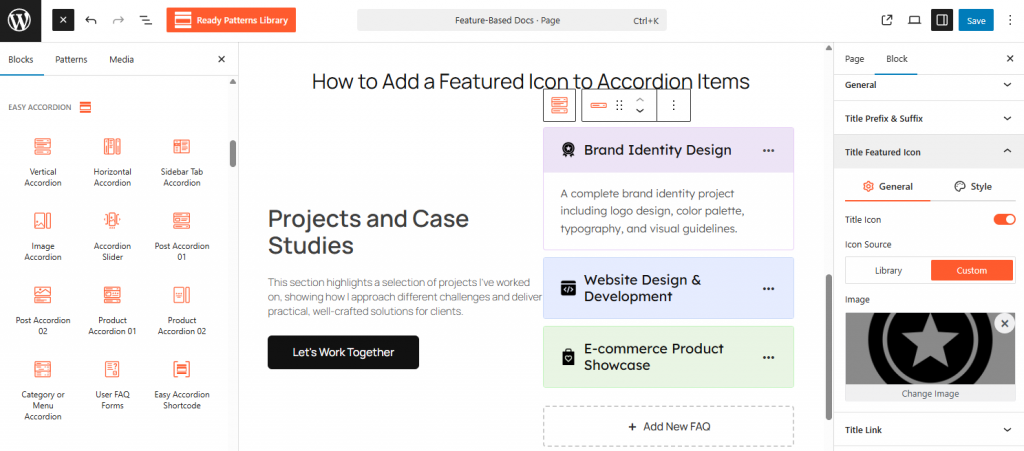
To Add a Featured Icon:
- Insert any Accordion Blocks (e.g., “Horizontal Accordion“) block to your page.
- Select a Single Accordion Item.
- Enable the Featured Icon toggle and pick an icon from the library.
- Set the icon position to either the Left or the right of the title.
To know how to configure, please visit the detailed documentation.
Let’s watch the Live Demo of how the Title Featured Icons work in Accordions.