

- Add: Click the (+ Add New FAQ) button at the bottom of the block or the plus icon in the toolbar.
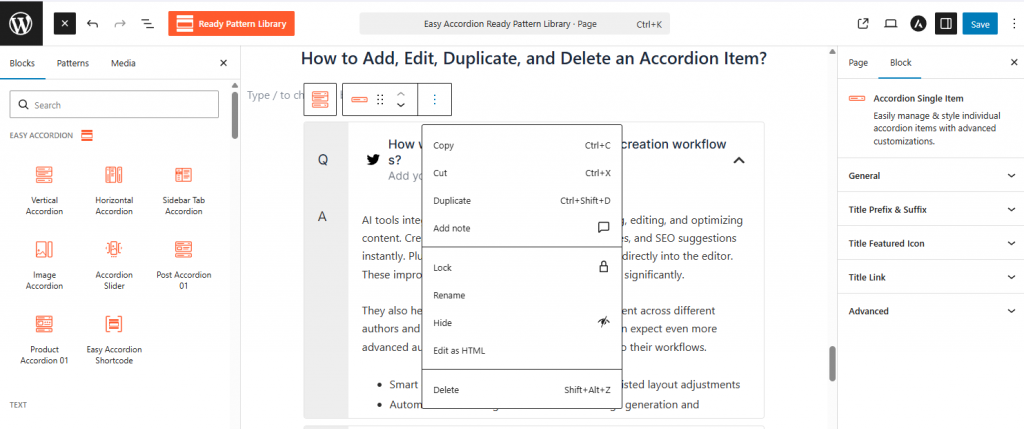
- Edit/Duplicate: Click directly on the text to edit; use the three-dot (⋮) menu in the toolbar to select Duplicate.
- Delete: Select the item and use the Shift+Alt+Z shortcut or click Delete from the options menu.