

1. Horizontal FAQs Accordion:
The Horizontal Layout is a modern, space-saving orientation that expands content laterally rather than vertically, making it ideal for sleek landing pages and visual portfolios.
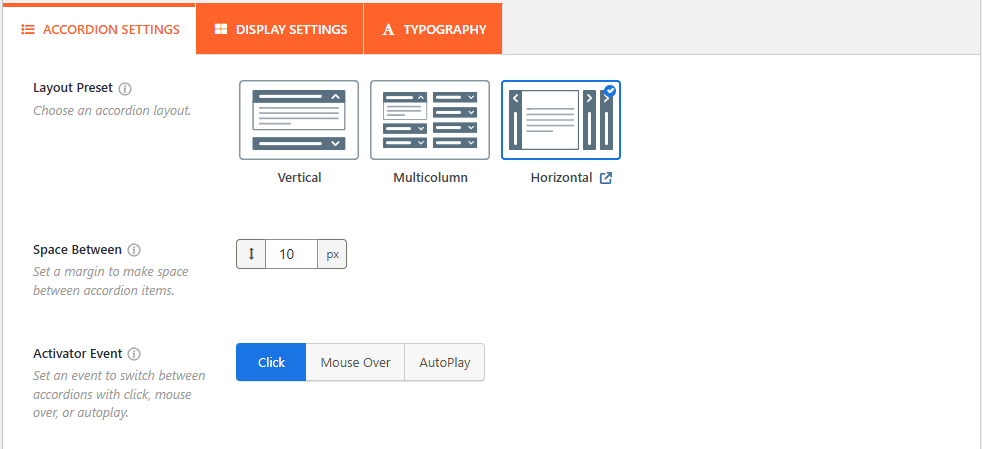
- Select Layout: Choose the Horizontal icon from the Layout Presets to activate the lateral expansion mode.
- Configure Settings: Customize the Space Between, Activator Event, and Accordion Mode, or enable advanced features like FAQ Search, Schema Markup, and URL Slugs to fit your specific needs.
Note: The Layout configurations & Accordion themes are available according to the layouts.
2. Vertical FAQs Accordion:
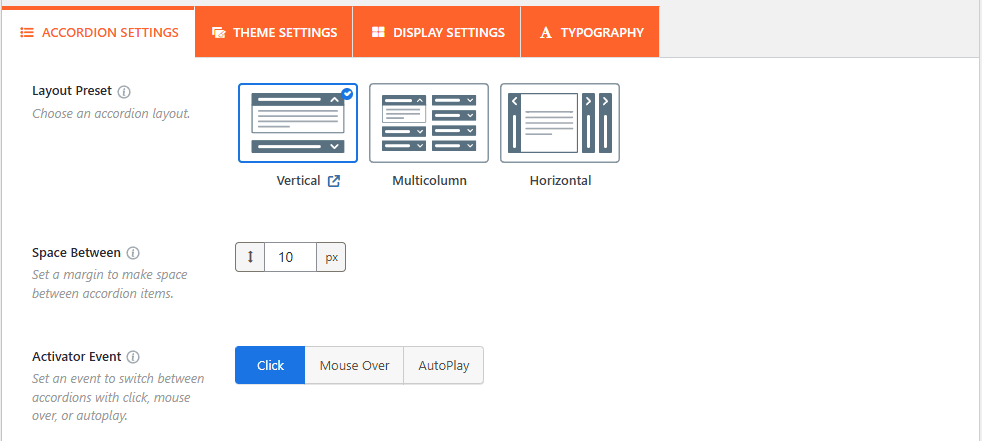
The Vertical Layout is the classic, most widely used accordion style, designed to stack FAQ items on top of one another. It is the most effective choice for content-heavy pages, as it keeps your layout clean by hiding detailed answers until they are requested.
3. Multi-Column FAQs Accordion:
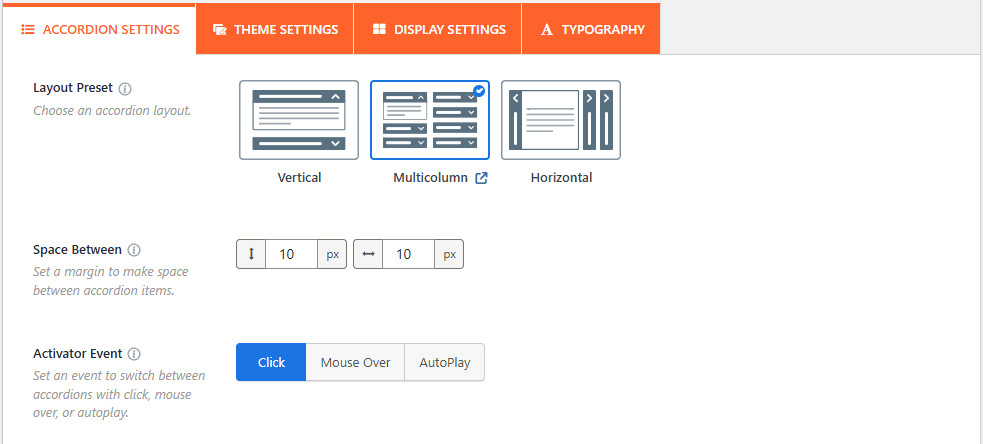
The Multicolumn Layout is a high-efficiency orientation designed to display FAQ items in a grid-like structure. This approach is perfect for large knowledge bases, as it allows you to present a high volume of information in a compact, organized, and easy-to-scan format.
4. Image Accordion:
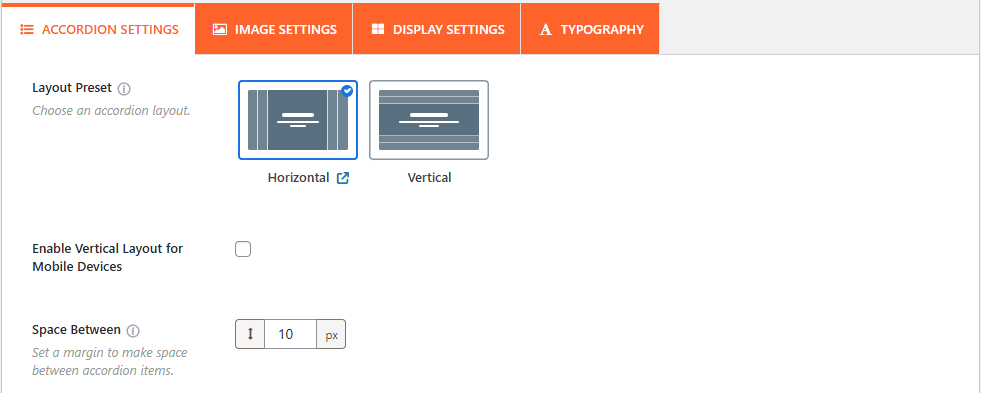
The Image Accordion combines visual storytelling with interactive text, allowing each panel to showcase a featured image alongside its corresponding FAQ content. This layout is specifically designed for high-impact sections like service highlights or product features where imagery is as vital as the information provided.
5. Post Accordion:
The Post Accordion allows you to dynamically pull content from your WordPress posts, pages, or custom post types to generate an automated FAQ section. This layout is ideal for automatically displaying product-related questions or turning a series of blog posts into an interactive knowledge base.
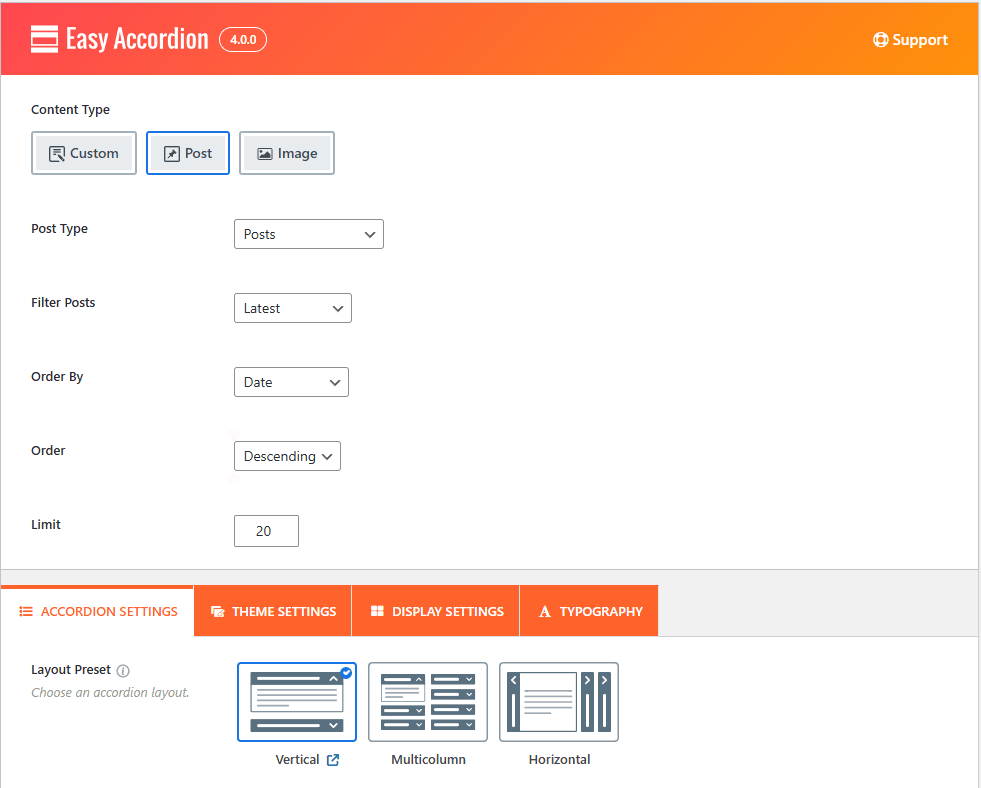
- Select Content Source: Choose the Post as the Content Source to fetch content dynamically rather than manually entering FAQ data.
- Configure Filtering & Sorting: Refine your display by selecting a specific Post Type (like Products or Posts) and filtering by Taxonomy or Terms to ensure only relevant content is shown.
- Set Order & Limits: Control the presentation by defining the Order By criteria (e.g., Date), the Order direction (Ascending/Descending), and setting a total Limit on the number of items displayed.
6. Product Accordion:
The Product Accordion is a dynamic layout designed specifically for e-Commerce, allowing you to automatically pull questions and answers from your WooCommerce product database. This layout streamlines the shopping experience by displaying relevant product information, specifications, or brand-specific details in a clean, interactive format.
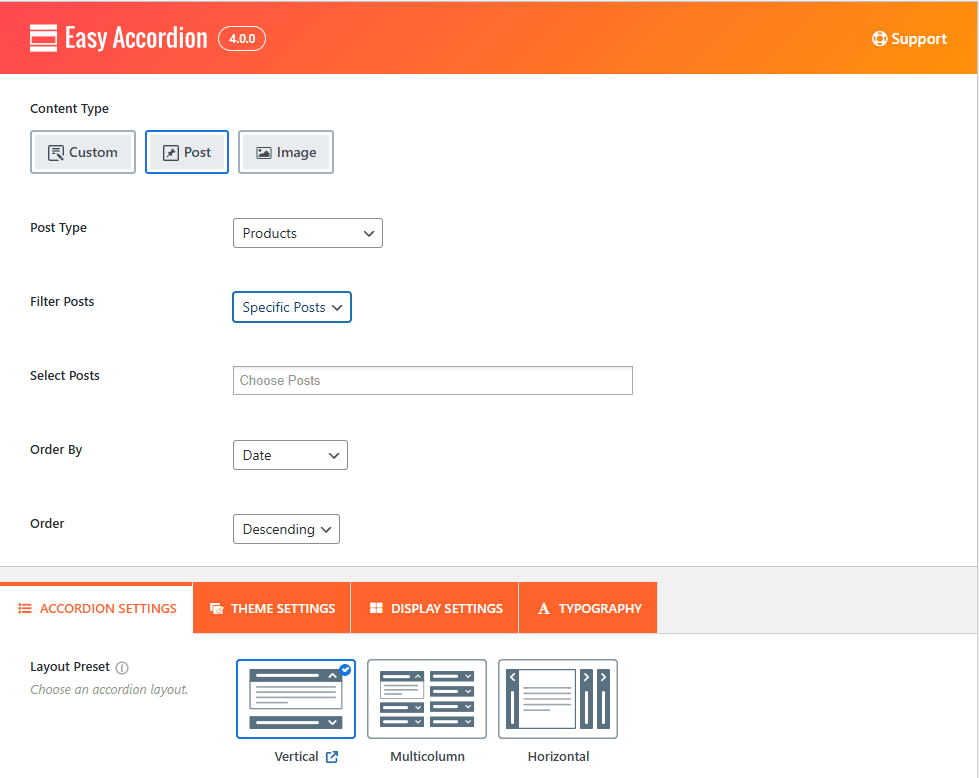
- Select Content Source: Choose the Post source and set the Post Type to Products to begin pulling your WooCommerce data dynamically.
- Filter by Taxonomy: Use the Filter Posts option to categorize your FAQs by product_brand, product_cat, or other custom taxonomies to ensure customers see the most relevant information.
- Control Display & Sorting: Organize your product list by Date, Title, or ID, and set a specific Limit to manage how many product FAQs appear at once.