

To cancel the plugin Subscription, follow the steps below:
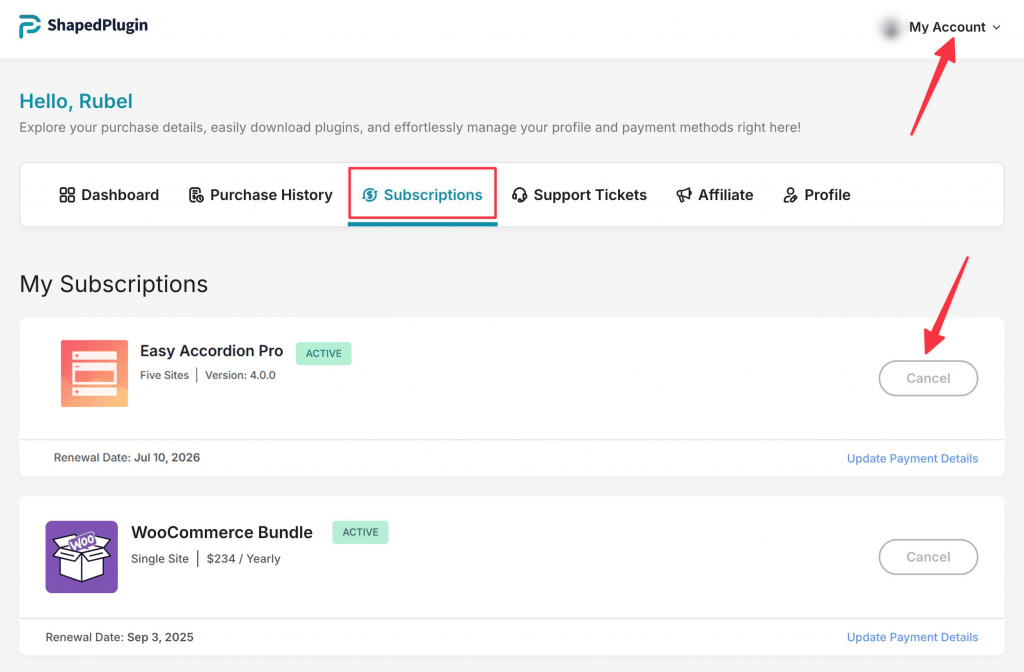
- Log in to your ShapedPlugin Account.
- Navigate to Subscriptions and click Cancel.
Once you cancel the subscription, you will get plugin updates and support until the license expires.
To Reactivate the Subscription, follow the procedure below:
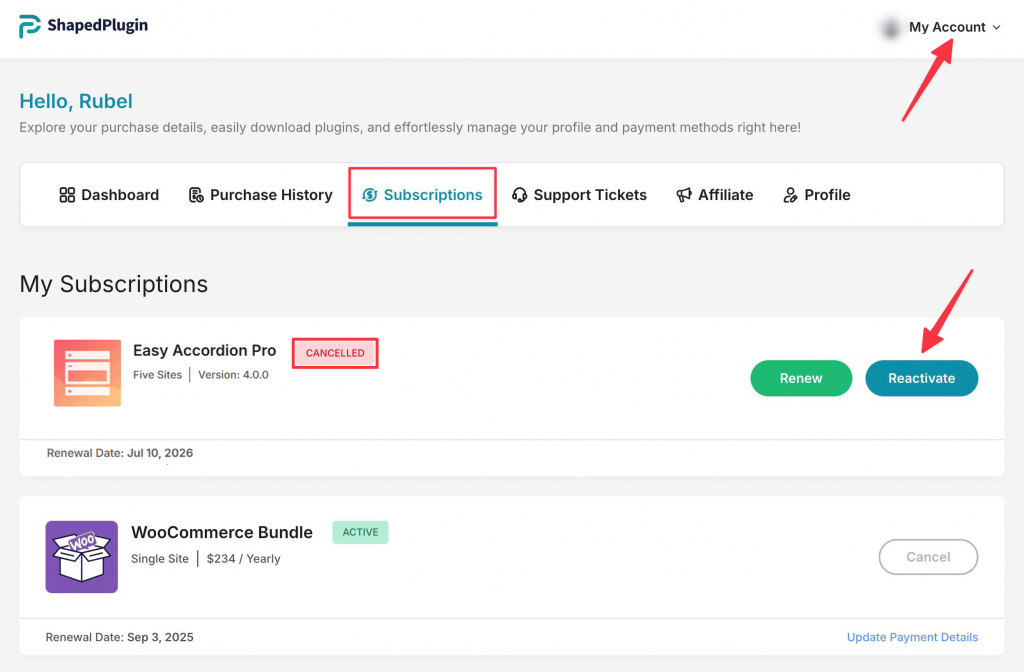
- Log in to your ShapedPlugin Account.
- Navigate to Subscriptions and click Reactivate.