

The WooCommerce FAQs Tab section allows you to integrate dedicated question-and-answer tabs into your product pages. Use these settings to customize tab labels, manage display order, and assign specific FAQ groups to products.
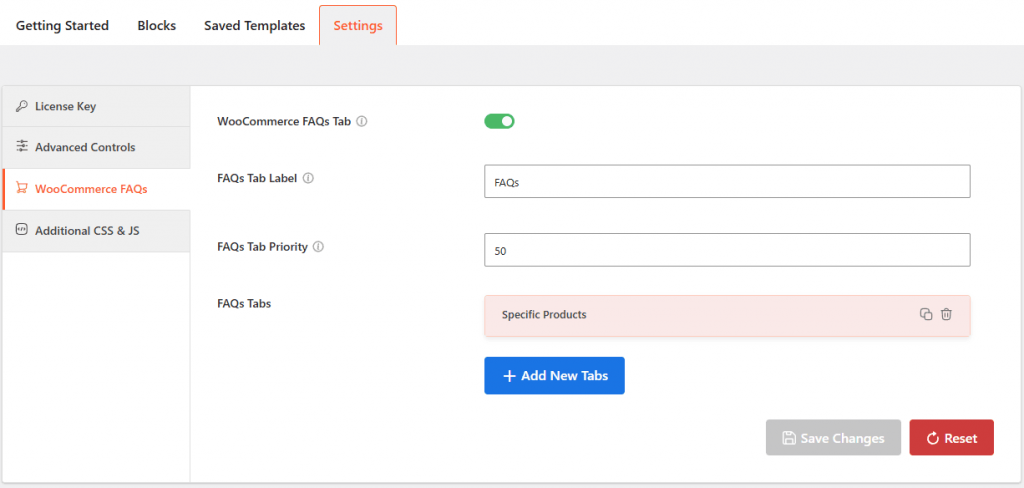
- WooCommerce FAQs Tab: Toggle this switch to enable or disable the custom FAQ tab on your product pages.
- FAQs Tab Label: Enter a custom title for the FAQ tab (e.g., “Product Q & A”) as it will appear to customers.
- FAQs Tab Priority: Set a numerical value to determine the tab’s display order; a higher number moves it further to the right.
- FAQs Tabs: Use the Add New Tabs button to create and assign specific FAQ groups to your products.