

Design your professional FAQ section & Accordion layouts instantly with the Ready Patterns Library. This rich accordion library allows you to start with 200+ high-quality, pre-designed templates, helping you build engaging & dynamic FAQs & Accordions faster without designing every element from scratch. Simply browse the library, choose a pattern that fits your brand, and import it directly into your page.
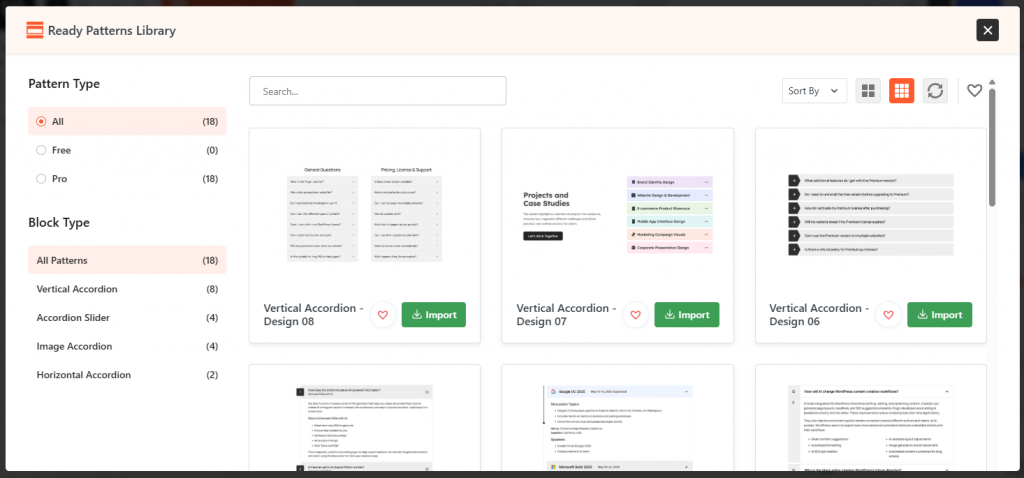
How to Enable the Ready Pattern Library Module:
To start using professionally designed accordion layouts, you must first activate the module within the plugin settings:
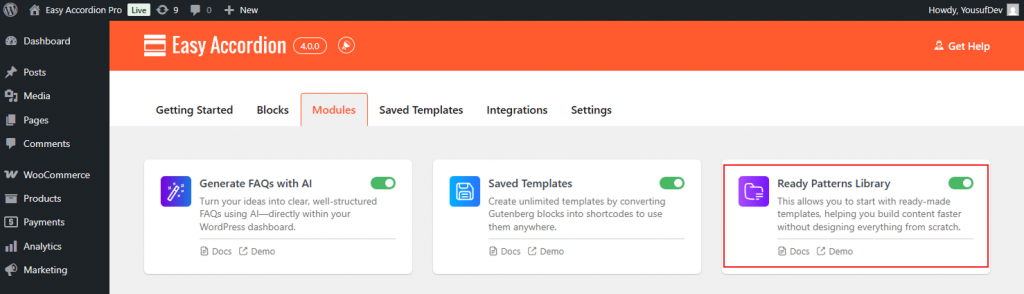
- Navigate to your Easy Accordion menu in the WordPress sidebar.
- Go to the Quick Start or Blocks tab, and move to the Modules.
- Find the Ready Pattern Library Module, toggle and switch it to ON.
- After enabling it, you will see the Ready Patterns Library button right on the Gutenberg Block Editor.
How to Use the Ready Patterns Library:
To build pre-made accordions using the Ready Patterns Library, follow the steps below:
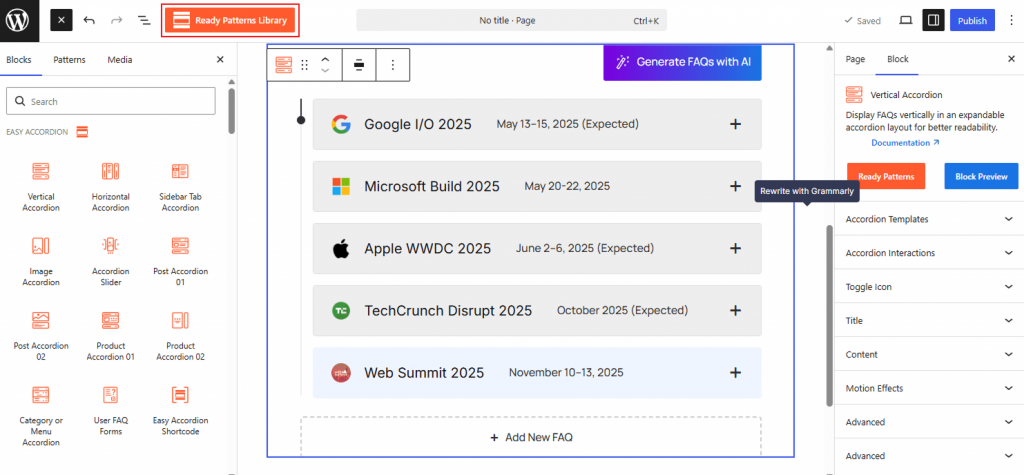
- Open the page or post where you want to add accordions.
- Click the (+) icon and search for the Easy Accordion block.
- Within the Gutneberg Editor, locate and click the Ready Pattern Library button.
- Choose the available categories and preview the professional designs.
- Click Import and customize as needed with advanced stylings.