Oxygen Builder is a powerful visual design tool for WordPress that gives developers and designers complete control over their page layouts. In this guide, we’ll show you how to use Easy Accordion Blocks and FAQ sections in Oxygen Builder using Saved Templates.
Easy Accordion integrates seamlessly with Oxygen Builder, allowing you to display FAQs, accordions, knowledge bases, product information sections, and other accordion layouts anywhere on your website using reusable Saved Templates.
You can complete this in 2 easy steps:
- Step 1: Create a Saved Template using Accordion Blocks or import a ready-made pattern from the Rich Pattern Library.
- Step 2: Add the Accordion Blocks or FAQs sections in Oxygen Builder using the Saved Template component.
Step 1: Create a Saved Template
Before using Easy Accordion inside Oxygen Builder, you need at least one Saved Template.
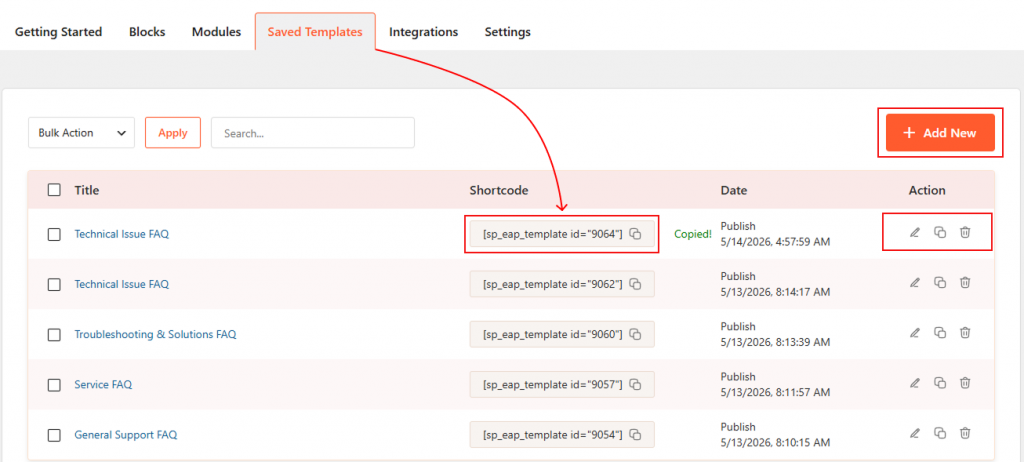
- Navigate to Easy Accordion → Saved Templates and create a new template using Accordion Blocks, or import a professionally designed pattern from the Rich Pattern Library.
- Once your template is ready, it becomes available inside the Saved Template component and can be reused throughout your website.
Step 2: Add the Accordion Blocks or FAQs Sections in Oxygen Builder
Follow these 5 steps to display your accordion inside Oxygen Builder.
1. Enable the Oxygen Builder Addon
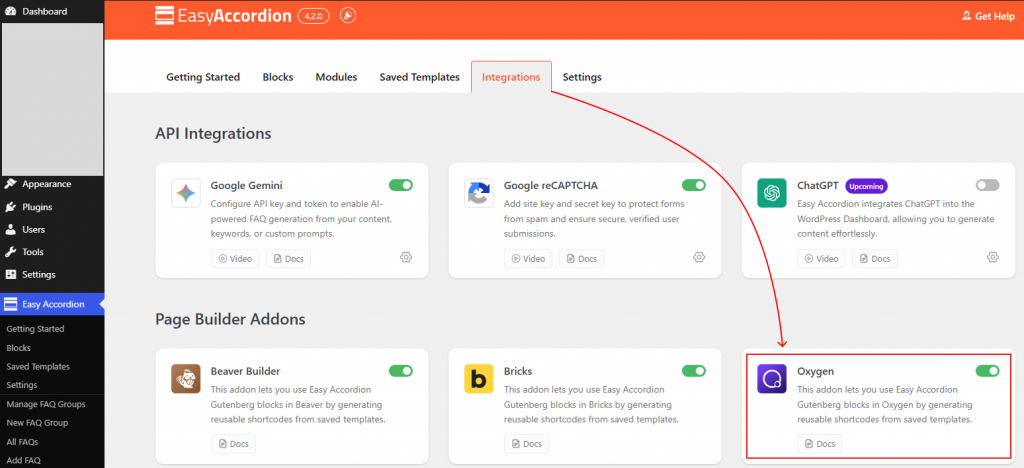
Go to Easy Accordion → Integrations from your WordPress dashboard. Scroll to Page Builder Addons, enable the Oxygen Builder toggle, and click Save.
2. Open Oxygen Builder
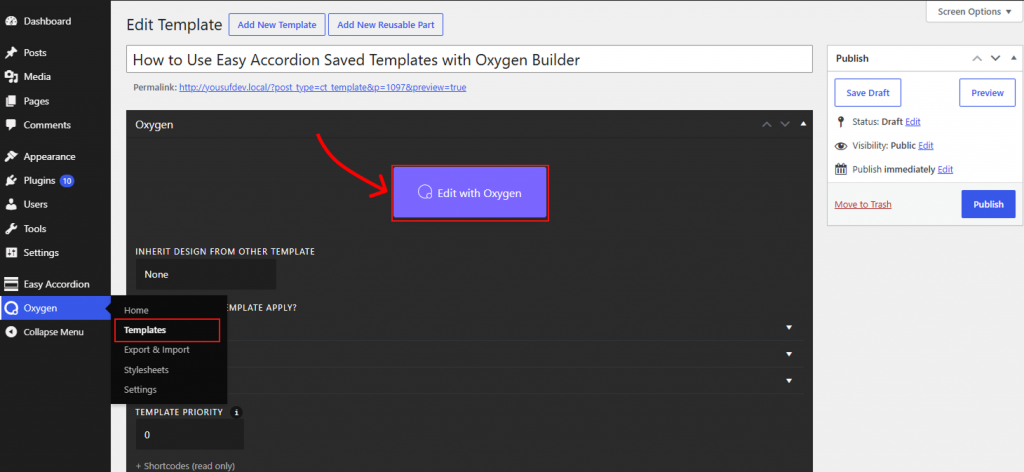
Navigate to Oxygen → Templates and open the template where you want to display your accordion. Then click Edit with Oxygen to launch the visual editor.
3. Add the Easy Accordion Saved Template Component
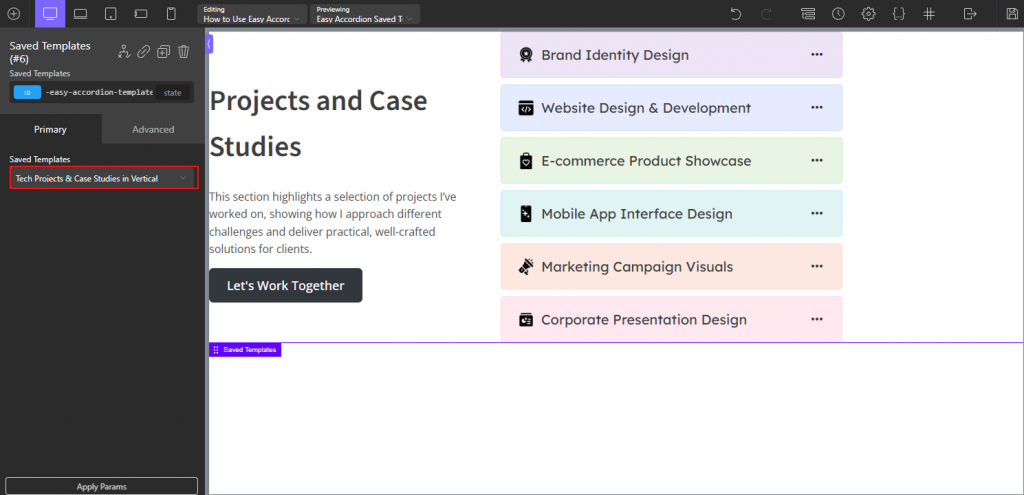
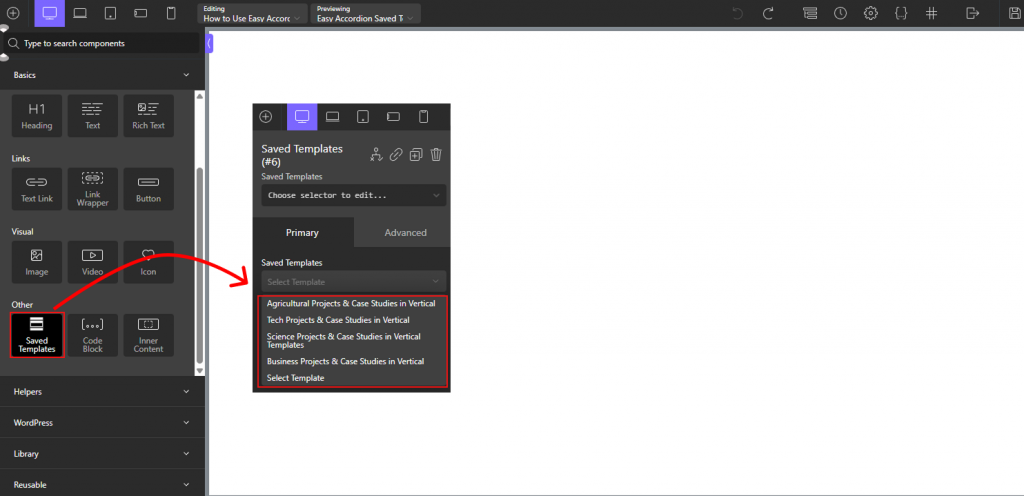
Click the (+) button in the top-left corner. In the search field, type Saved Template and select the Saved Template component.
4. Choose Your Template
In the left settings panel, select your preferred accordion from the Choose Accordion dropdown menu.
5. Publish the Template
Click the Save button in the top-right corner of the screen to save your changes. Your accordion will appear instantly in the Oxygen Builder preview.
That’s it.
Live Example
Let’s see the live example below of how your Easy Accordion section will appear inside Oxygen Builder.