

After downloading Easy Accordion, it’s time to install and activate the plugin. Whether you’re using the Classic Shortcodes or Gutenberg Accordion Blocks, the setup is quick and straightforward.
Step 1: Install the Plugin
- Log in to your WordPress dashboard.
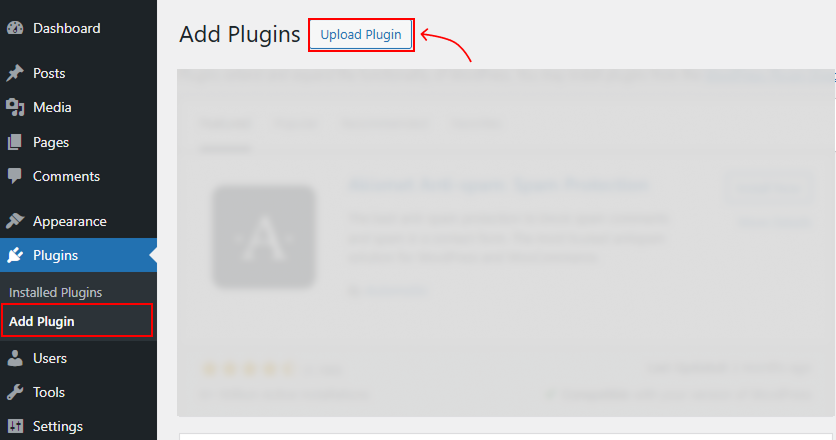
- Go to Plugins → Add New → Upload Plugin.
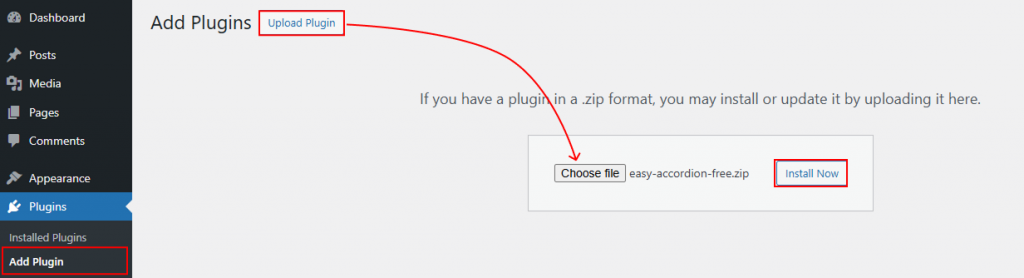
- Click Choose File and select the Easy Accordion .zip file.
- Click Install Now.
To Note: Easy Accordion is compatible with the latest WordPress versions, PHP, and MySQL servers.
Step 2: Activate the Plugin
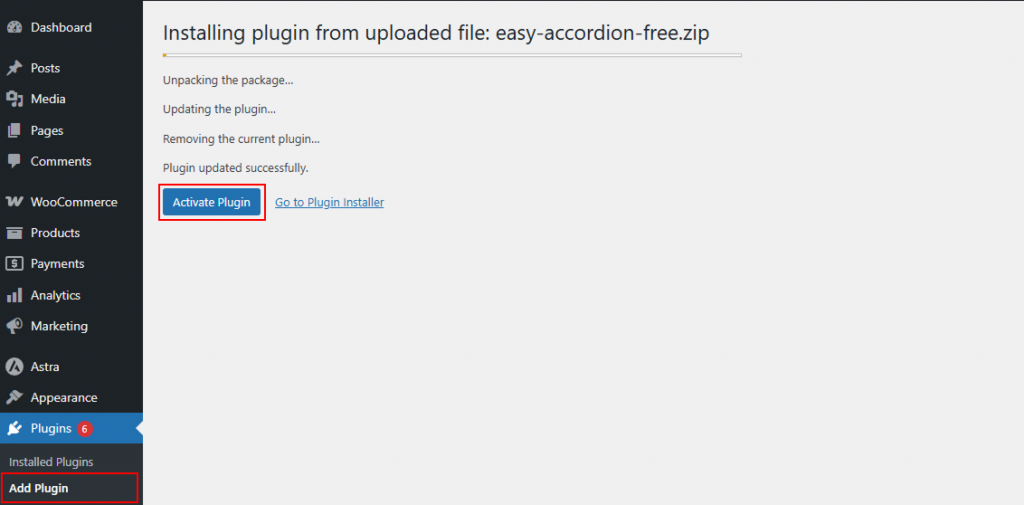
- Once installed, click Activate Plugin.
- You will now see the Easy Accordion menu in your WordPress dashboard.
Step 3: Enter Your License Key
- Go to Easy Accordion → License.
- Paste your License Key from your ShapedPlugin account.
- Click Activate to enable premium features and automatic updates.
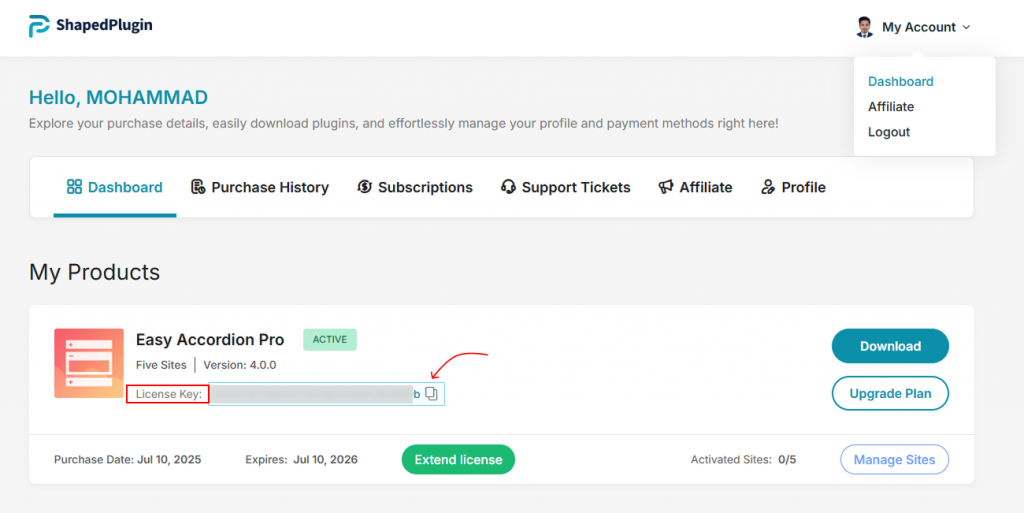
Installation complete. This step ensures you get all features, updates, and support.
Congratulations! Now, you’re ready to start building FAQ & accordions with Easy Accordion.
- Use Classic Shortcodes to add accordions anywhere on your site.
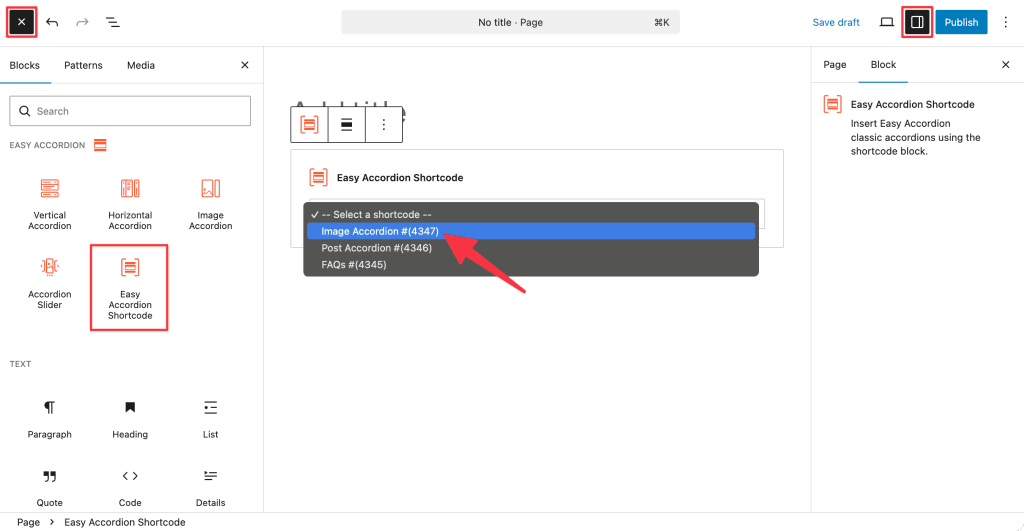
- Or create Gutenberg Accordion Blocks directly in the block editor. Easy! Start designing responsive, interactive, and SEO-friendly accordions in minutes! Learn how to add FAQ Sections in Gutenberg.