

Suppose you’re trying to renew your paid plugin license but aren’t sure how to do so. This tutorial will guide you through the steps to renew any paid plugin license from ShapedPlugin. It is important to renew your license in order to get technical support and important version updates for your purchased plugins.
How to Renew an Expired License:
To renew your expired license:
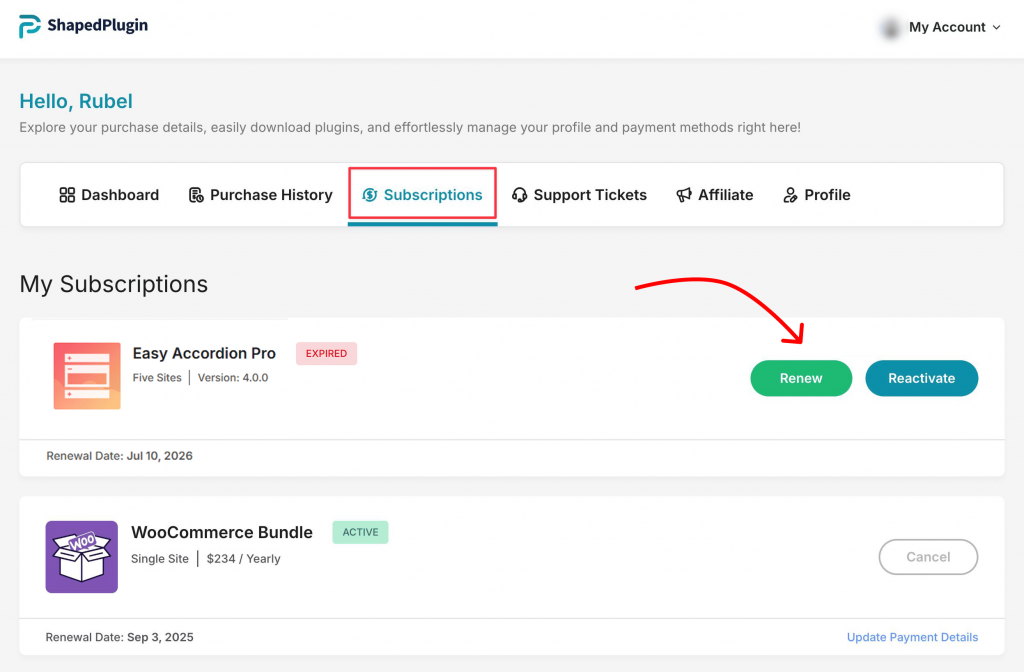
- Log in to your ShapedPlugin Account.
- Go to Dashboard → Subscriptions → Expired. You’ll see any expired licenses listed there.
- Click the Renew button next to the license you want to renew.
- On the checkout page, check the notice “Renew an existing license?”, enter your
- existing license key, and click Apply Renewal.
- Choose a payment method and complete the purchase.
Once the checkout process is done, your license will be renewed.
How to Resolve Renewal Payment Failure:
If the auto-renewal of your license is unable to process for any reason, you will receive an email from our team informing you of the issue.
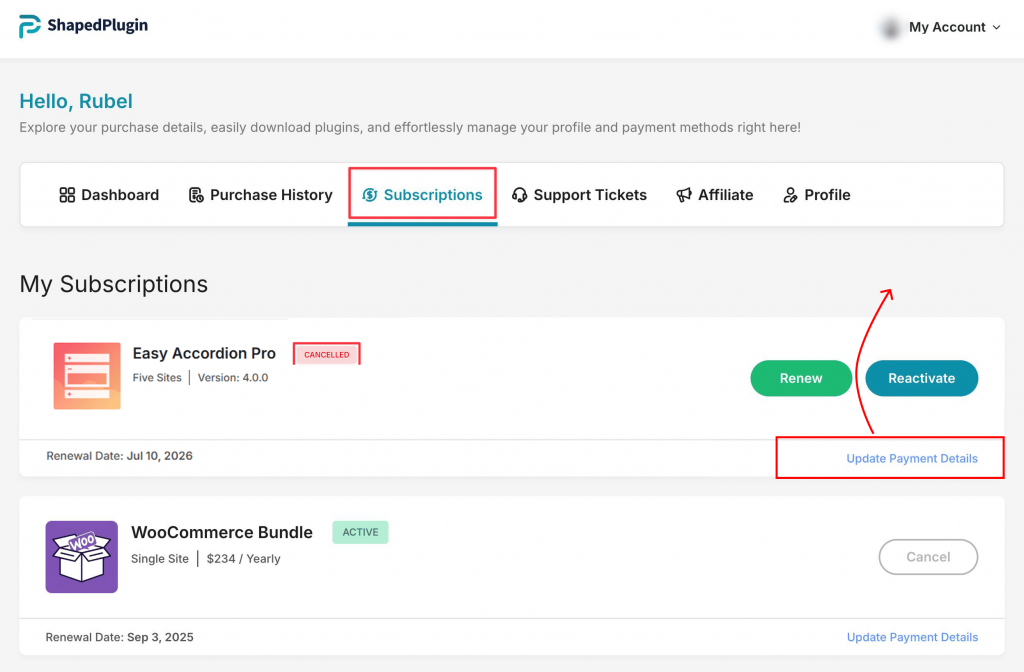
To resolve this problem and renew your plugin’s license, please visit your ShapedPlugin account page right away and update your payment method.
Once your payment method is updated, the renewal will be automatically processed.