

If you’re moving your website to another server or domain, don’t worry! You can easily transfer your license from the old domain to the new one.
Follow these steps to ensure a smooth transfer and avoid any issues:
Steps to Transfer Your License:
Please, follow these best steps to ensure a smooth transfer and avoid any complications:
- Backup Plugin Data – Always take a backup as a precaution before making changes.
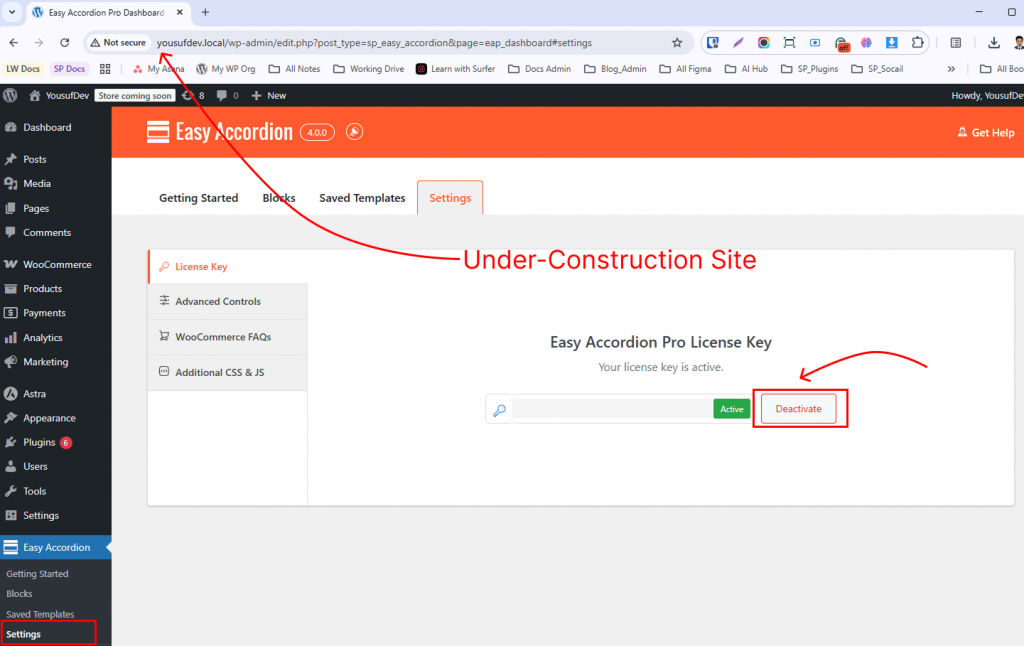
- Deactivate the License on the Old Site – Ensure the license is deactivated on the current domain. (Learn more about license deactivation)
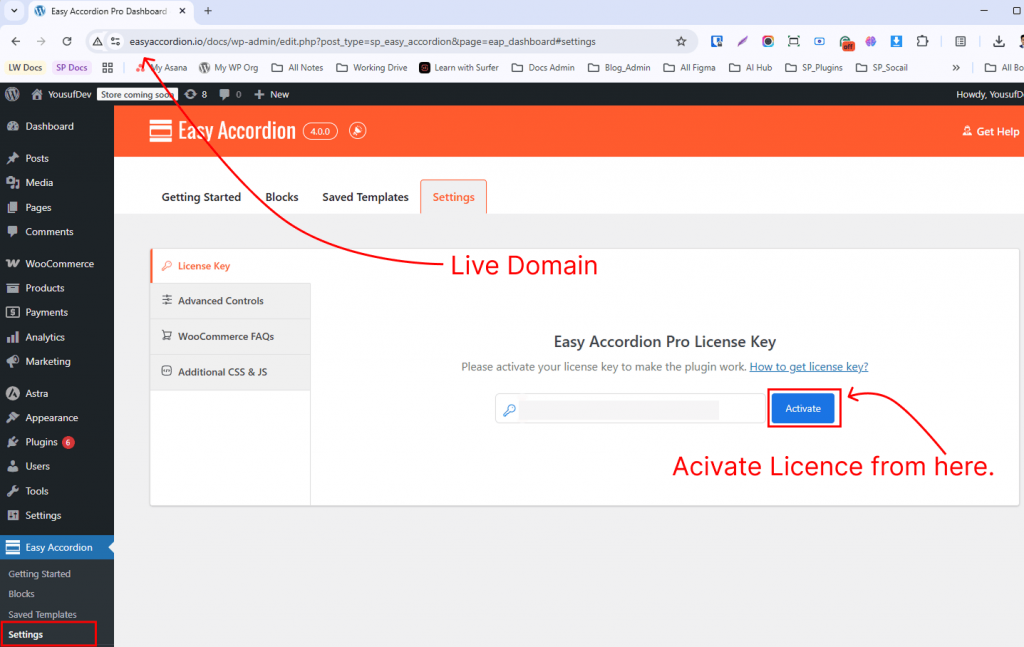
- Activate the License on the New Site – Once deactivated, enter your license key on the new site to activate it.
Tip: Always deactivate the license on the old site before moving it to a new domain to avoid activation errors. With these steps, your license transfer will be smooth, and your plugin will continue to work without interruptions.