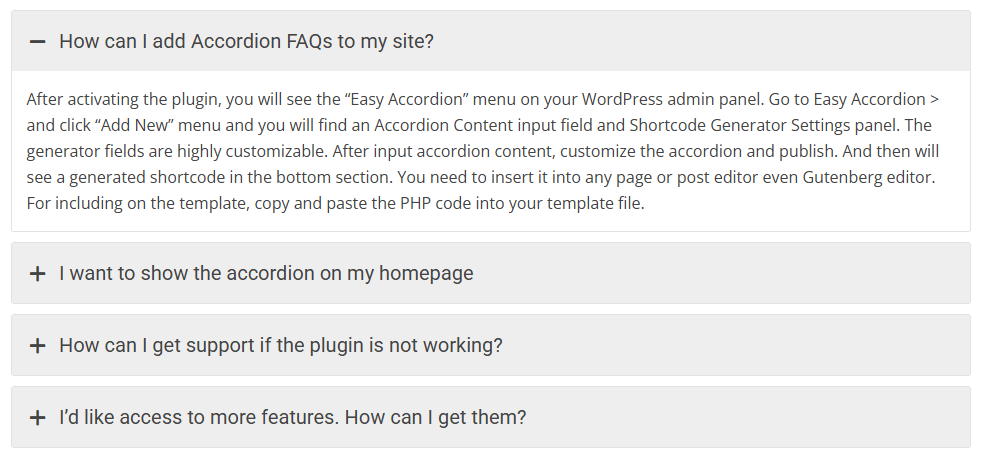
Creating a new accordion in Easy Accordion is simple and flexible. Follow the steps below to create your first accordion group from start to finish.
Note: Since WordPress upgraded from classic to Gutenberg, you can try our newly added drag and drop FAQs & Accordion blocks with a ready-to-use Pattern Library.
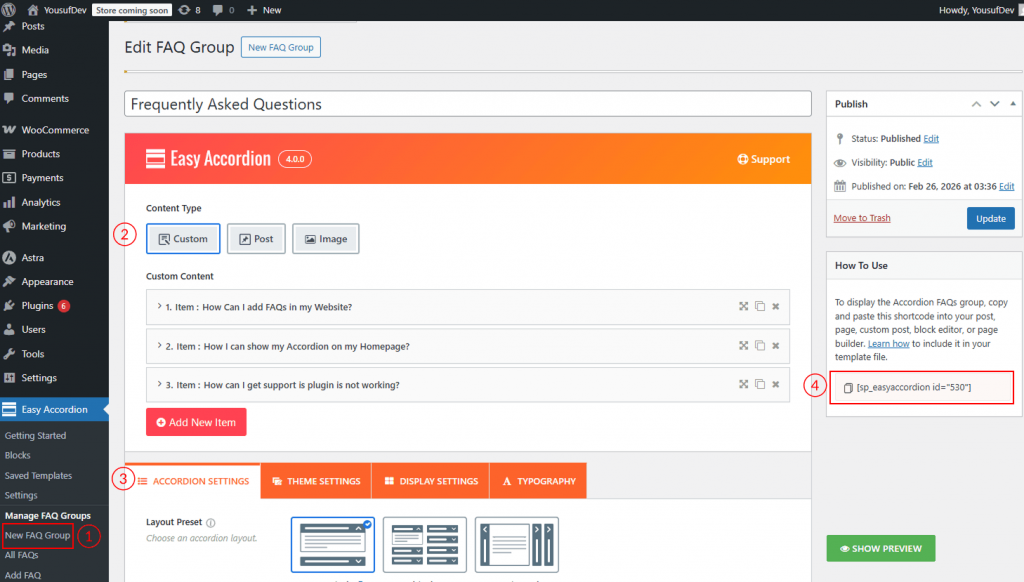
Step 1: Create a New Accordion Group
- Log in to your WordPress Dashboard.
- Navigate to Easy Accordion → Add New FAQ Group.
- Enter a Title for your accordion group (for internal reference).
Step 2: Add Accordion Items
- Choose the Accordion content type: Content, Post, or Image.
- Enter the Accordion Title.
- Add your content inside the content editor (text, images, shortcodes, etc.).
- Click the Add New FAQ button and repeat the process to add as many items as needed.
- Drag and drop items to reorder them.
Step 3: Configure Accordion Settings
After adding items, customize your accordion using the available settings panels:
- Accordion Settings – Choose layout presets and configure other accordion settings.
- Theme Settings: Select an Accordion Theme from 17 pre-designed theme styles.
- Display Settings: Configure Accordion Title & Description, Expand & Collapse Icon, Animation Effect, and Ajax Pagination.
- Typography Settings – Customize the fonts for both the accordion item titles and their descriptions.
Step 4: Publish the Accordion
- Click the Publish button.
- Copy the generated shortcode from the right-side panel.
- Paste the shortcode into any page, post, or page builder.
Your accordion is now live and ready to display on your website.