To create a dedicated FAQ tab for your WooCommerce products, follow these concise steps based on the plugin’s settings panel:
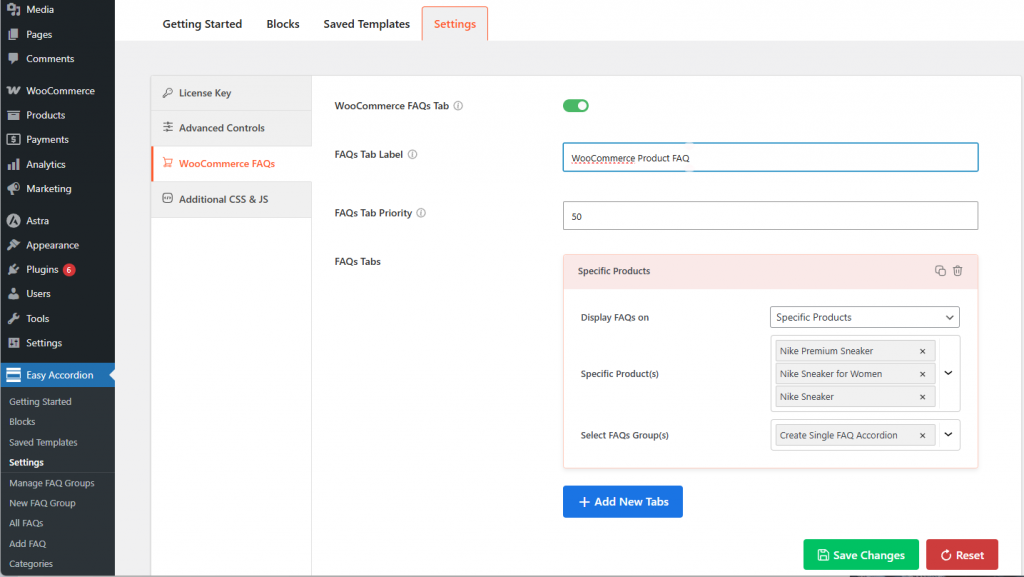
- Enable FAQs Tab Toggle: Navigate to Easy Accordion > Settings > WooCommerce Settings and switch the WooCommerce FAQs Tab toggle to ON.
- Customize the Tab Label: Edit the Tab Title field (e.g., “Sizing Guide” or “Shipping FAQs”) to ensure the label clearly tells customers what information is inside.
- FAQs Tab Priority: Set the Tab Priority (e.g., 10 to show after Description) to position the tab as your preference.
- FAQ Tabs:
- Assign FAQ Groups: In the panel that opens, click Add New and select an existing Accordion Group to display on your product pages.
- Define Visibility: Choose whether to show these FAQs on All Products, specific Categories, or only for Specific Products using the dropdown menu.
- Save: Once done, click SAVE SETTINGS to apply your Product FAQs Tab on the Frontend.
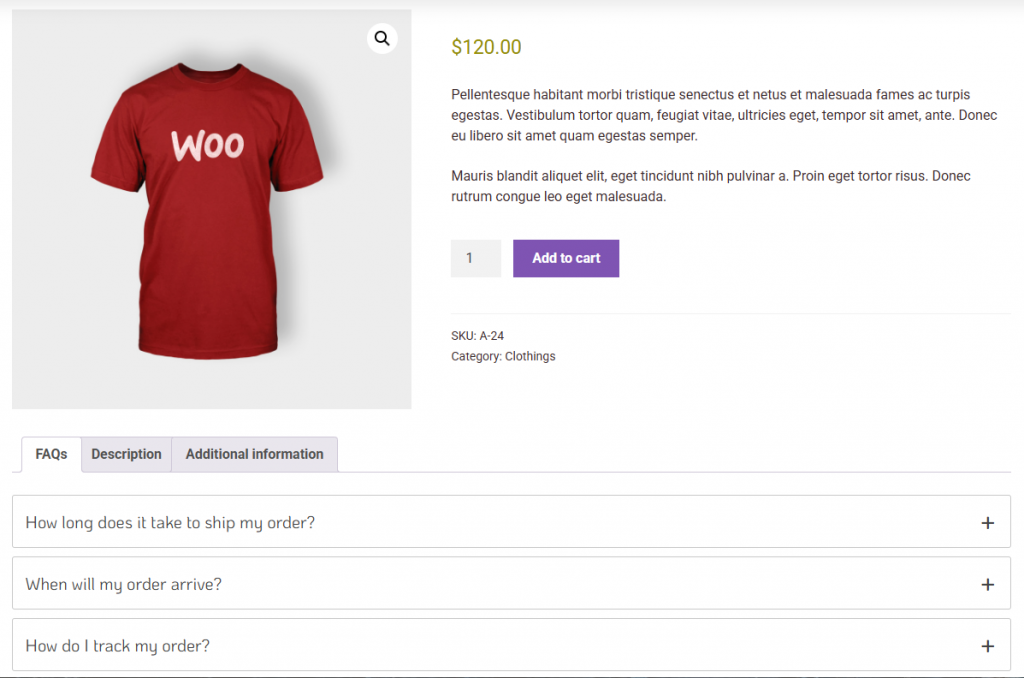
Here is a live preview of how the WooCommerce FAQs Tab will be displayed on the live site.