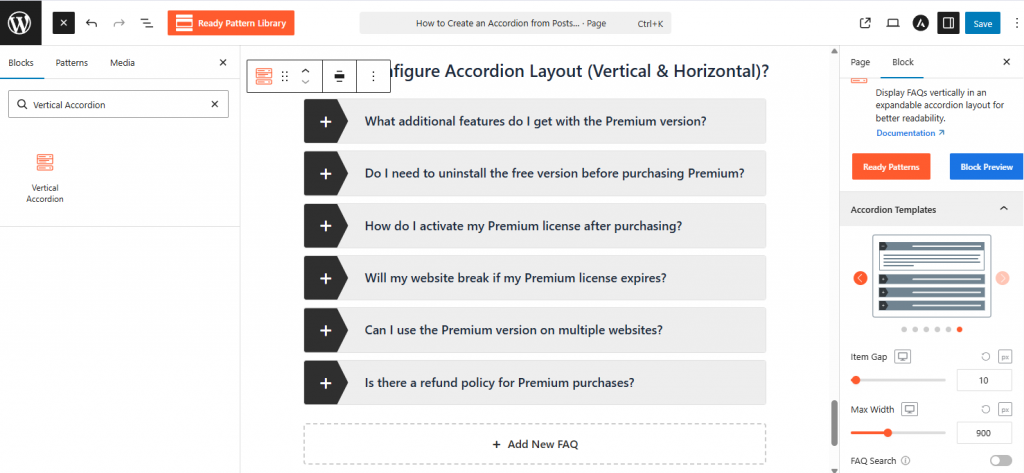
Using Easy Accordion blocks in the Gutenberg Editor is very easy. Simply follow the steps, or read this Article.
- Click the (+) Block Inserter icon in the editor or type /accordion to find the block.
- Choose your preferred block type from the Ready Pattern Library: Vertical, Horizontal, Image Accordion, or Accordion Slider.
- Once the block appears, select a template from the Accordion Templates sidebar to set your base design.