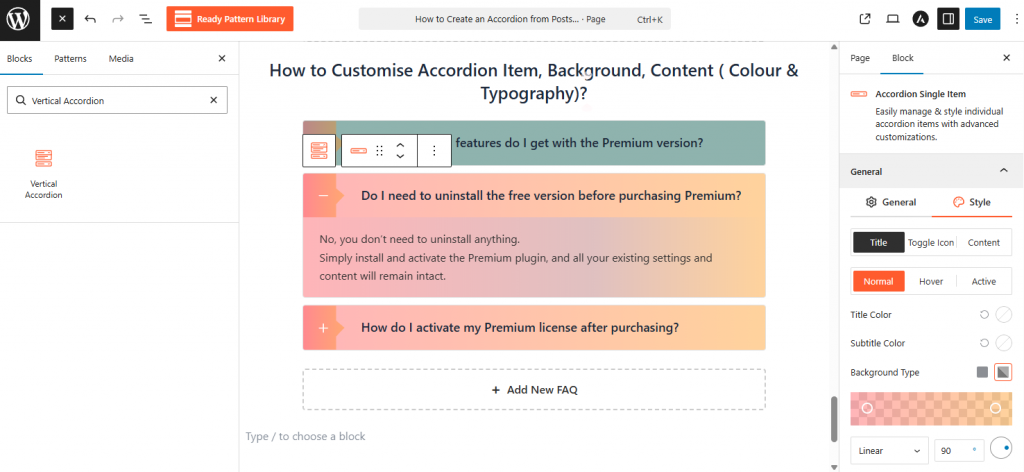
- Select the main accordion block and switch to the Style panel in the Block Sidebar.
- Use the Typography section to set the font family, weight, and size for both the Title and Description.
- Navigate to the Color settings to define unique hex codes for Normal, Hover, and Active states.
- Adjust the Background and Border colors to ensure the accordion matches your site’s branding.