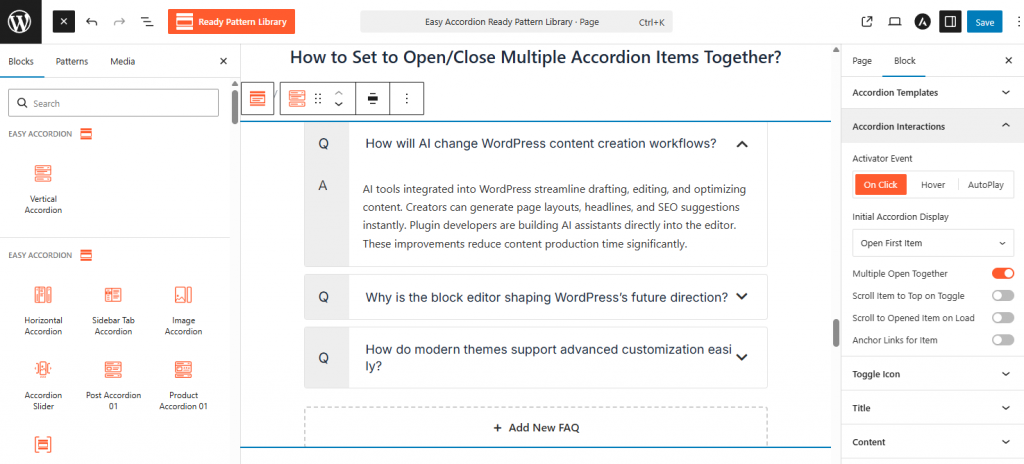
- Locate the Accordion Interactions panel in the sidebar settings.
- Set the Activator Event to either Click or Mouseover to determine how users trigger the accordion.
- Choose the Mode on Page Load (e.g., Open First Item, Close All Items) to define the initial display state.
- Toggle the Multiple Item Open or Close Together switch to ON.