

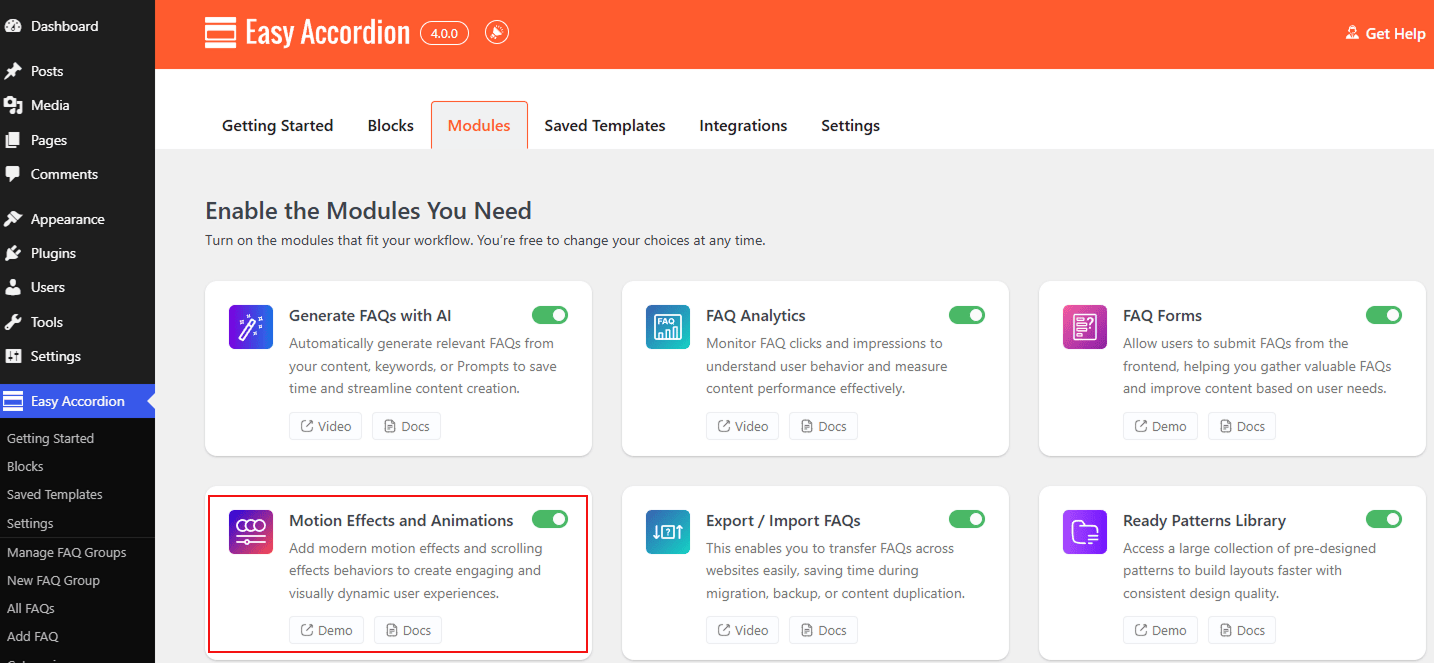
Add Modern Motion Effects and dynamic scrolling animations to your FAQs & Accordions for a more engaging user experience. By enabling the Motion Effects and Animations module, you can apply 25 animations globally across all Easy Accordion blocks. Simply enable it, and transform static FAQ sections into interactive elements that respond smoothly to user scrolling and cursor interactions.
Let’s watch the Video Tutorial to see how it works.
How to Enable the Motion Effects and Animations Module:
The animation settings are available on all blocks, but the module must be active to access them:
- Navigate to your Easy Accordion menu in the WordPress sidebar.
- Go to the Quick Start or Blocks tab, and move to the Modules.
- Find the Motion Effects & Animations Module, then toggle it to ON.
- Click Save Settings.
To know how to configure the Motion Effects and Animations, please visit here.