

Protect your User FAQ Submission Forms from spam and bot activity by integrating Google reCAPTCHA. This integration enables secure validation directly from your WordPress dashboard, ensuring that only genuine user inquiries are collected.
Let’s watch the Video Tutorial to see how it works.
How to Enable Google reCAPTCHA Integration:
Before configuring the Google reCAPTCHA, you must activate the integration:
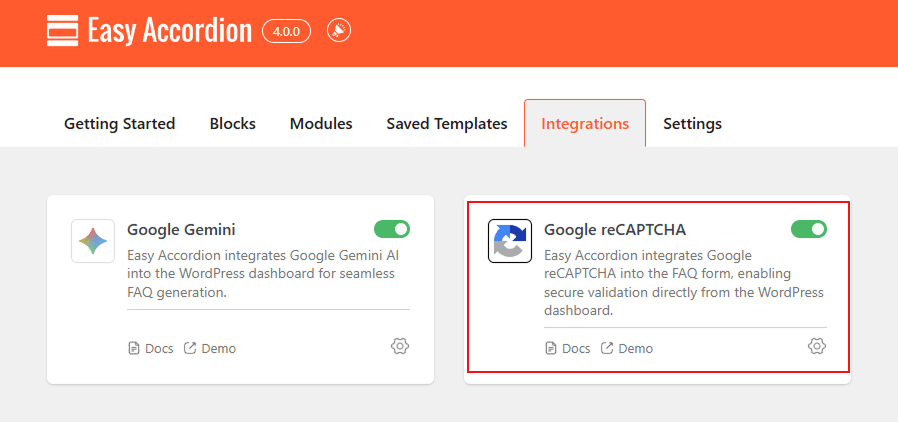
- Navigate to Easy Accordion > Modules> Integrations.
- Locate the Google reCAPTCHA card and toggle the switch to ON.
- Click Settings to enter the site credentials.
How to Configure Google Gemini AI API Key:
In the configuration modal, enter your Google API keys in the settings modal to link your site:
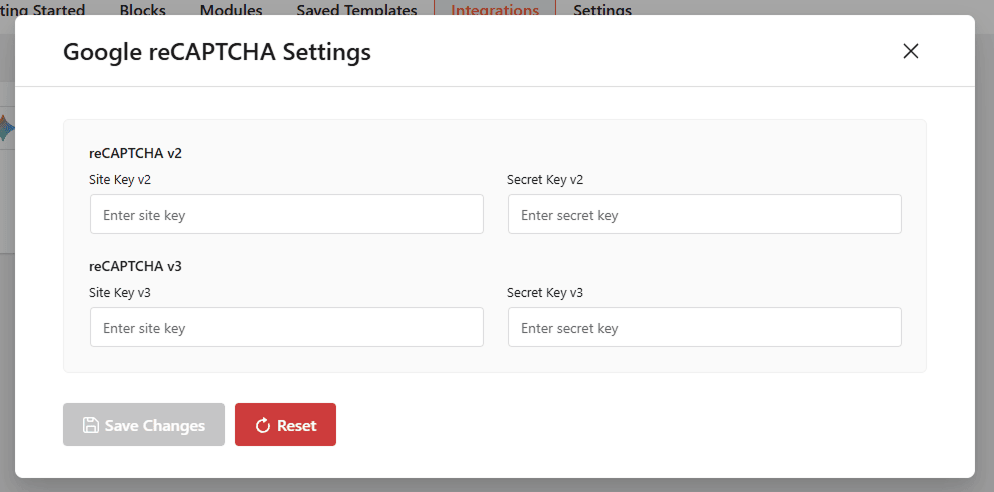
- reCAPTCHA v2: Enter your Site Key v2 and Secret Key v2 if you prefer the “I’m not a robot” checkbox.
- reCAPTCHA v3: Enter your Site Key v3 and Secret Key v3 for a seamless, invisible verification experience.
- Save Changes: Click Save Changes to activate the security layer.
Once integrated, you can enable the protection on your User FAQ forms.
Note: Avoid using both v2 and v3 on the same page to prevent technical conflicts.