

Allow your users to filter the post or product FAQs dynamically by category or tag with Frontend Live Taxonomy Filtering. By enabling it, you can make it incredibly easy for users to find, sort, and filter specific posts or products within a large database without refreshing the page.
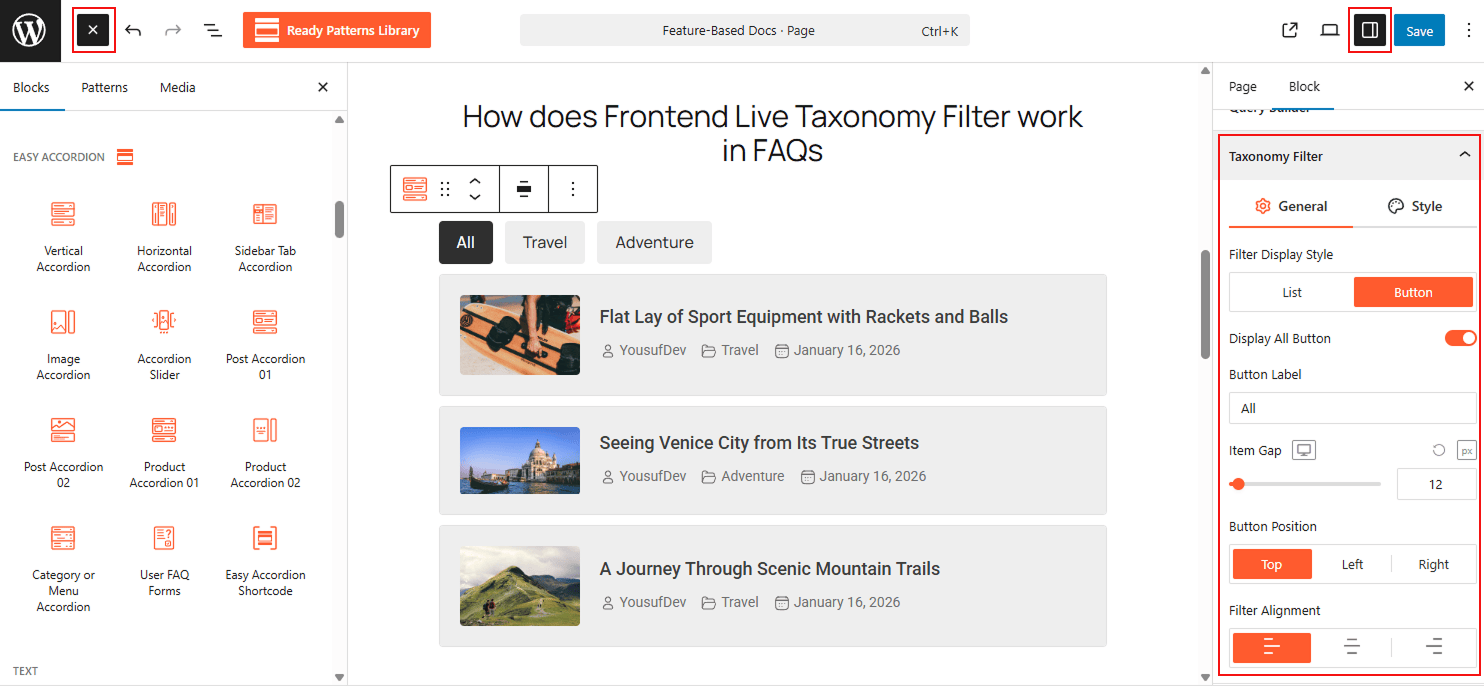
To Enable Taxonomy Live Filters:
- Insert any Post or Product Blocks (e.g., “Post Accordion“) block to your page.
- Move to the Query Builder, enable the “Taxonomy Filter” below it.
- Customize filter style, Alignment, Button label, and add style as needed.
- If done, and the user clicks, the accordion items will update via AJAX to match the selected filter.
To know how to configure, please visit the detailed documentation.
Let’s watch the Live Demo of how the Frontend Post Taxonomy Filter works in Accordions.