

Display your latest or featured posts dynamically inside accordions using the Advanced Query Builder. It automatically fetches and updates content based on flexible query rules, eliminating manual entry and saving time.
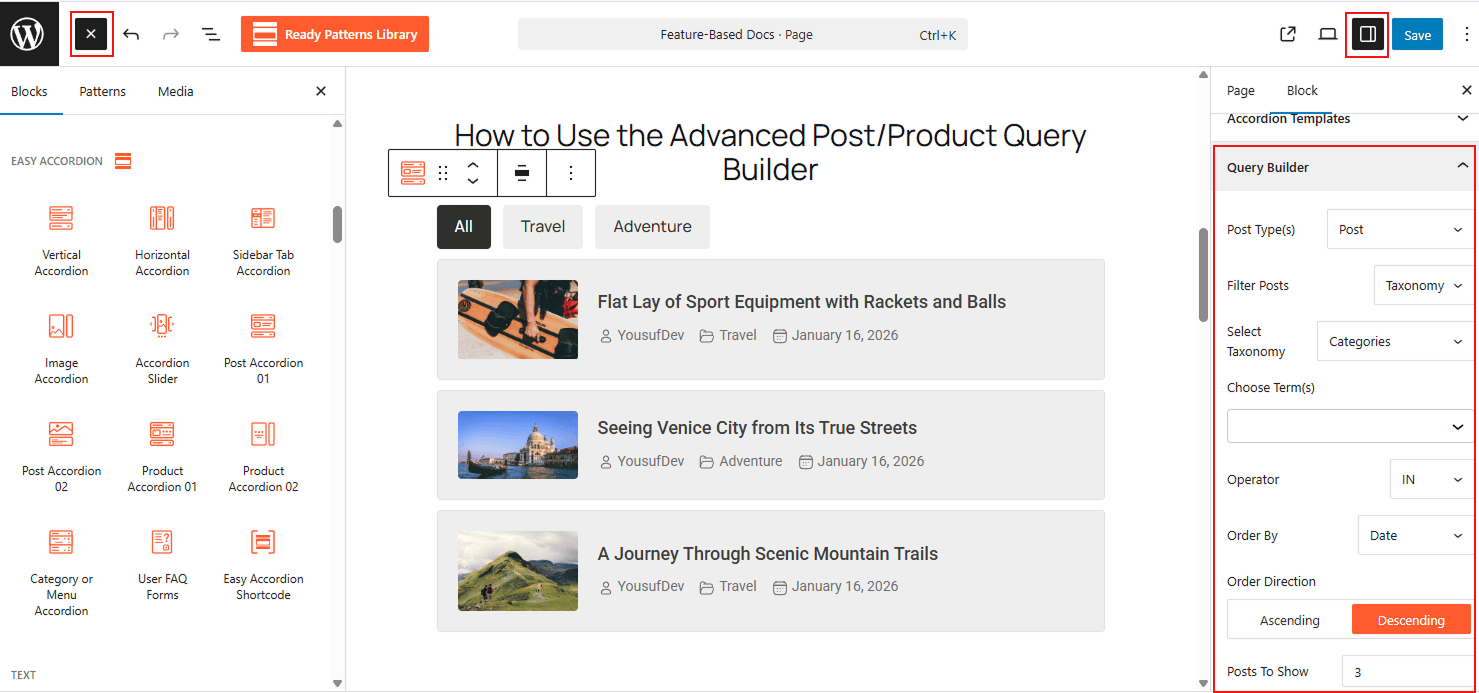
To Use the Advanced Query Builder:
- Insert any Accordion Blocks (e.g., “Post or Product Accordion“) block to your page.
- Navigate to the Query Builder panel in the block settings.
- Define your parameters: select specific Taxonomies (Categories/Tags), set the Post Count, and choose the Order By (e.g., Date or Title).
- The accordion will instantly populate with content matching your query.
To know how to configure, please visit the detailed documentation.
Let’s watch a Live Demo of how Post Query Builder fetches posts and displays them on your site.