

Allow users to submit FAQs directly from the frontend, helping you collect real questions and valuable user-generated content. With multiple forms, you can create dedicated FAQ submission forms for different pages, such as Support, Product Feedback, or specific products, ensuring your FAQs stay aligned with actual user needs.
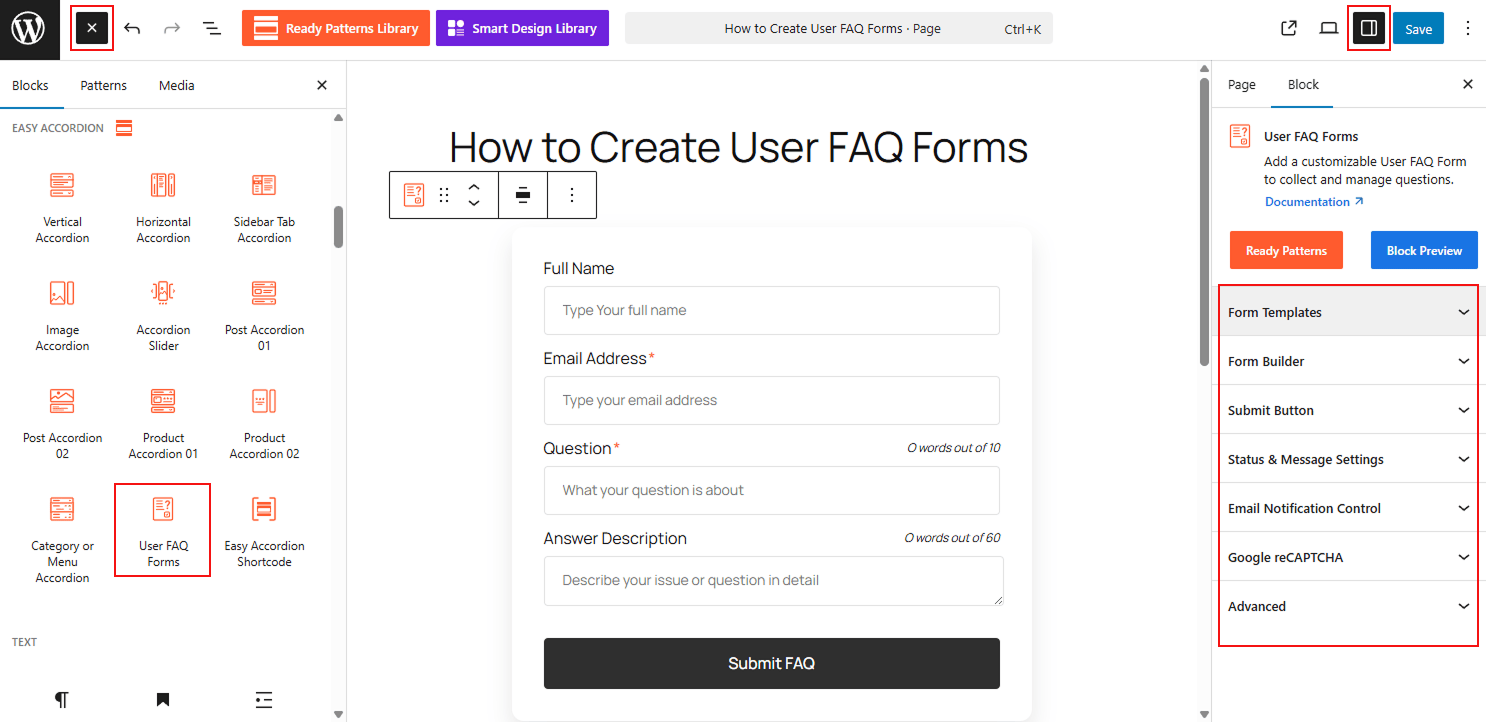
To Create Multiple User FAQ Forms:
- Open your page/post editor and add the User FAQ Form block.
- Navigate to the Form Builder panel in the block settings to toggle fields like Name, Email, and Question.
- Go to Status & Message Settings to define if submissions should be saved as “Draft” or “Pending.”
- To create multiple forms, simply add the block to a new page and configure unique settings for that specific instance.
To learn how to configure, please visit the detailed documentation.
Let’s watch the Live Demo of Multiple User FAQ Forms.