

Highlight your specific accordion items with stylish badges like “New,” “Featured,” or “Hot.” By adding FAQ Title Badges to the single items, you can easily create a strong visual hierarchy and guide users toward the most important or updated information.
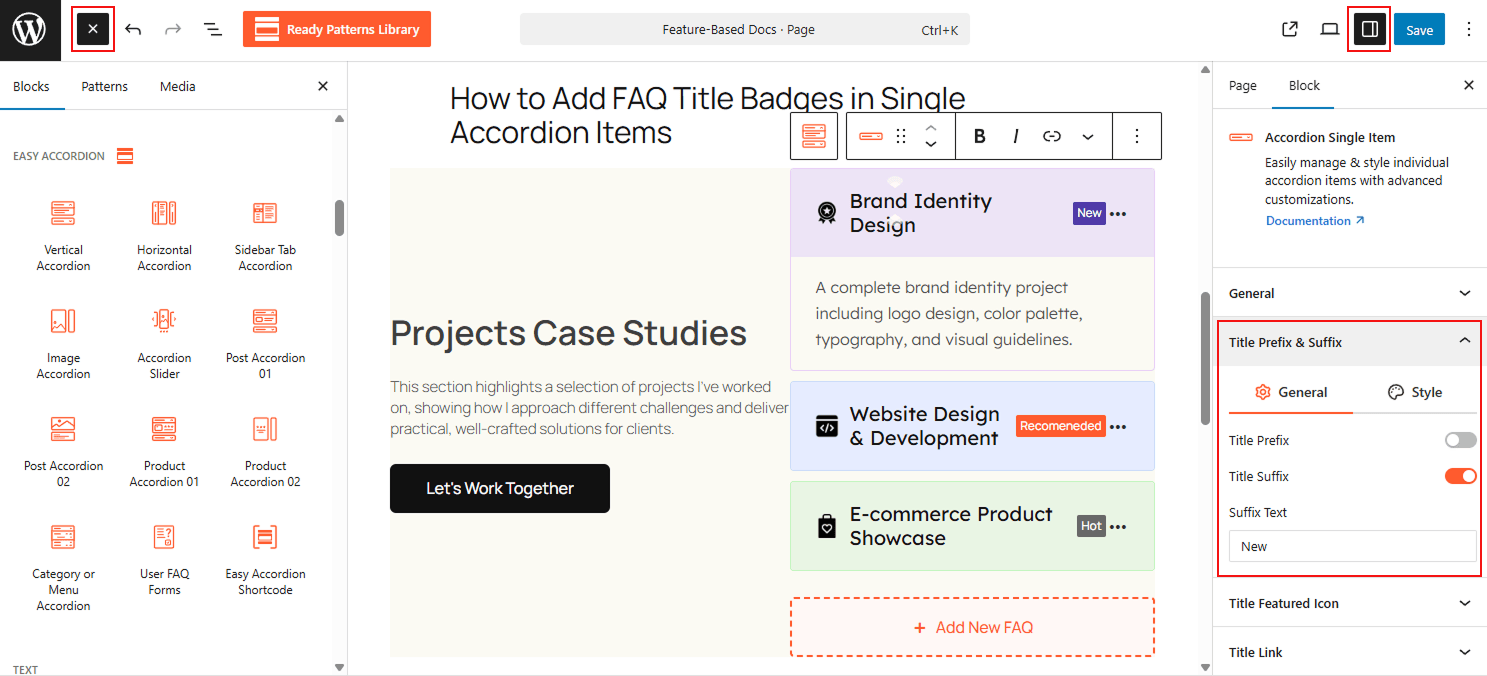
To Add Title Badges:
- Insert any Accordion Blocks (e.g., “Vertical Accordion“) block to your page.
- Click on the Single Accordion Item.
- Toggle the Suffix or Prefix to add as a Badge
- Enter your badge text and add style from the style settings.
To know how to configure, please visit the detailed documentation.
Let’s watch the Live Demo of how the Title Prefix & Suffix will work as Badges in the Accordion.