

Add a subtitle below your main accordion item title to provide extra information about the content. By enabling item subtitles for single accordions, you can improve users’ understanding of what the section contains before they click to expand it.
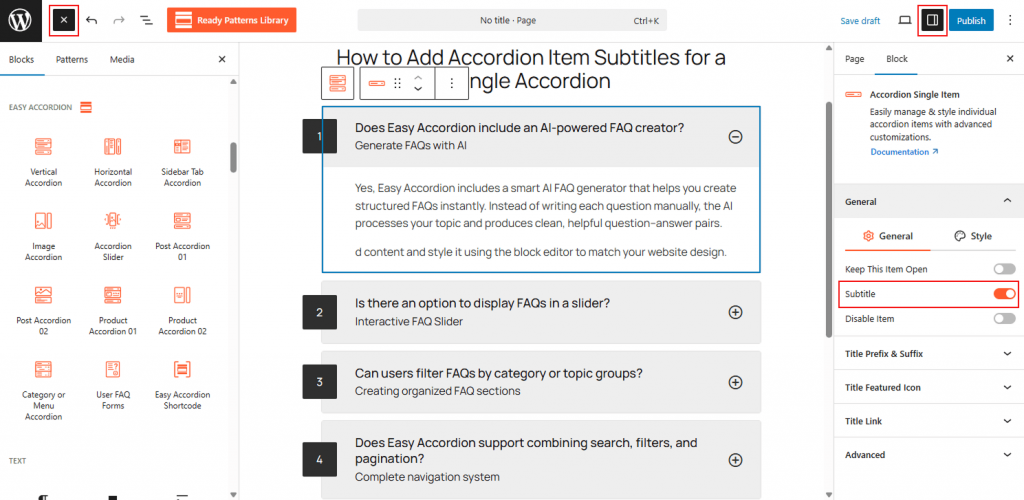
To Add Subtitles for Siggle Accordion:
- Insert any Accordion Blocks (e.g., “Vertical Accordion“) block to your page.
- Move to the Title panel, enable “Subtitle and enter the text.
- Select the Single Accordion Item to show or hide it.
- From Style settings, add a style to the subtitle as you wish.
To know how to configure, please visit the detailed documentation.
Let’s watch the Live Demo of how the Subtitles for Single Accordions Work.