

Maintain an equal height across all accordion items to create a balanced and professional layout. When enabled, each item follows a uniform height, preventing uneven expansion caused by varying content lengths and ensuring a cleaner, more responsive presentation.
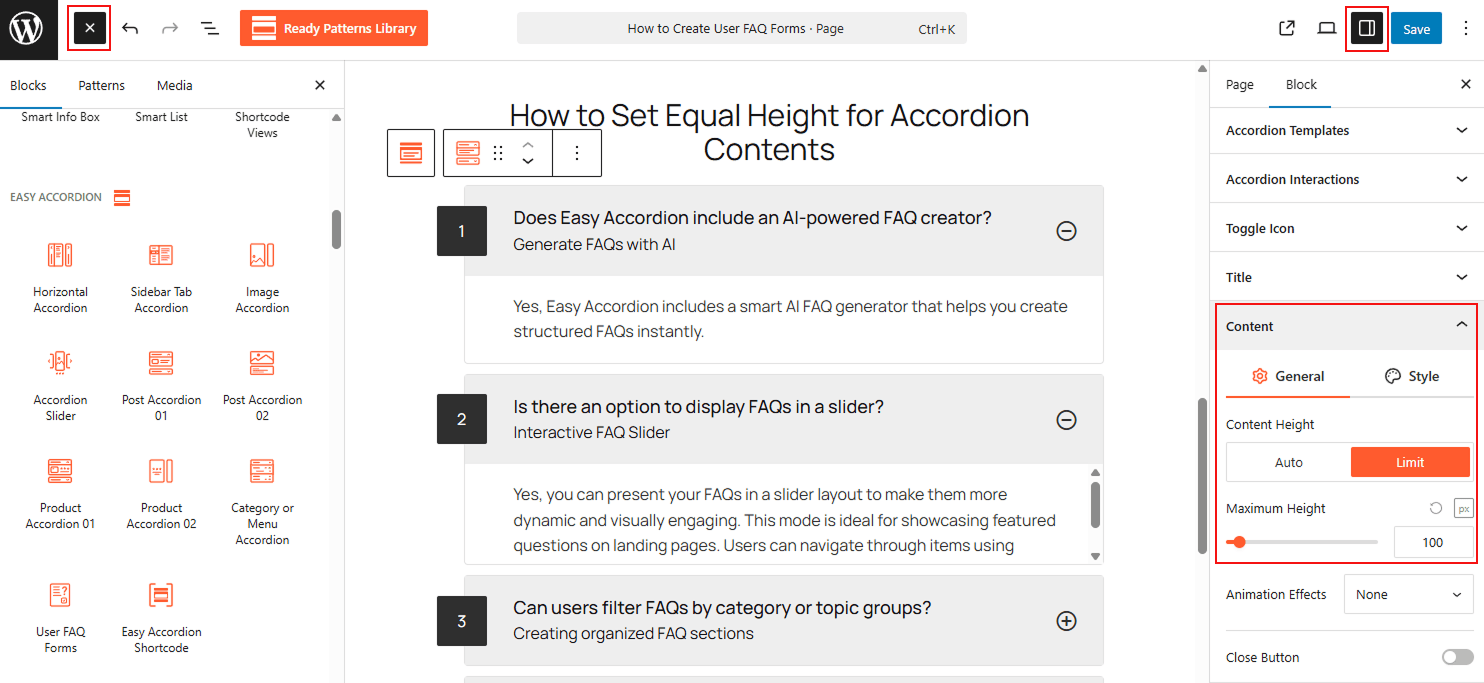
To Set Equal Height for Accordions:
- Insert any Accordion Blocks (e.g., “Vertical Accordion“) block to your page.
- Go to the Content panel in the sidebar.
- Choose how you want to show Auto or Limit
- Move to Limit, and set a preferred content limit using an adjustable slider.
- It will automatically align the height of all items to match the tallest one.
To know how to configure, please visit the detailed documentation.
Let’s watch a Live Demo of how you can set an Equal Height for Accordions.