

Displaying Accordion Titles & Icons in Collapsed State gives control over the visibility of titles and icons even when an accordion item is in its collapsed state. By keeping content visible in accordions, you can easily maintain a clearer UI and help users identify content at a glance before they decide to expand the section.
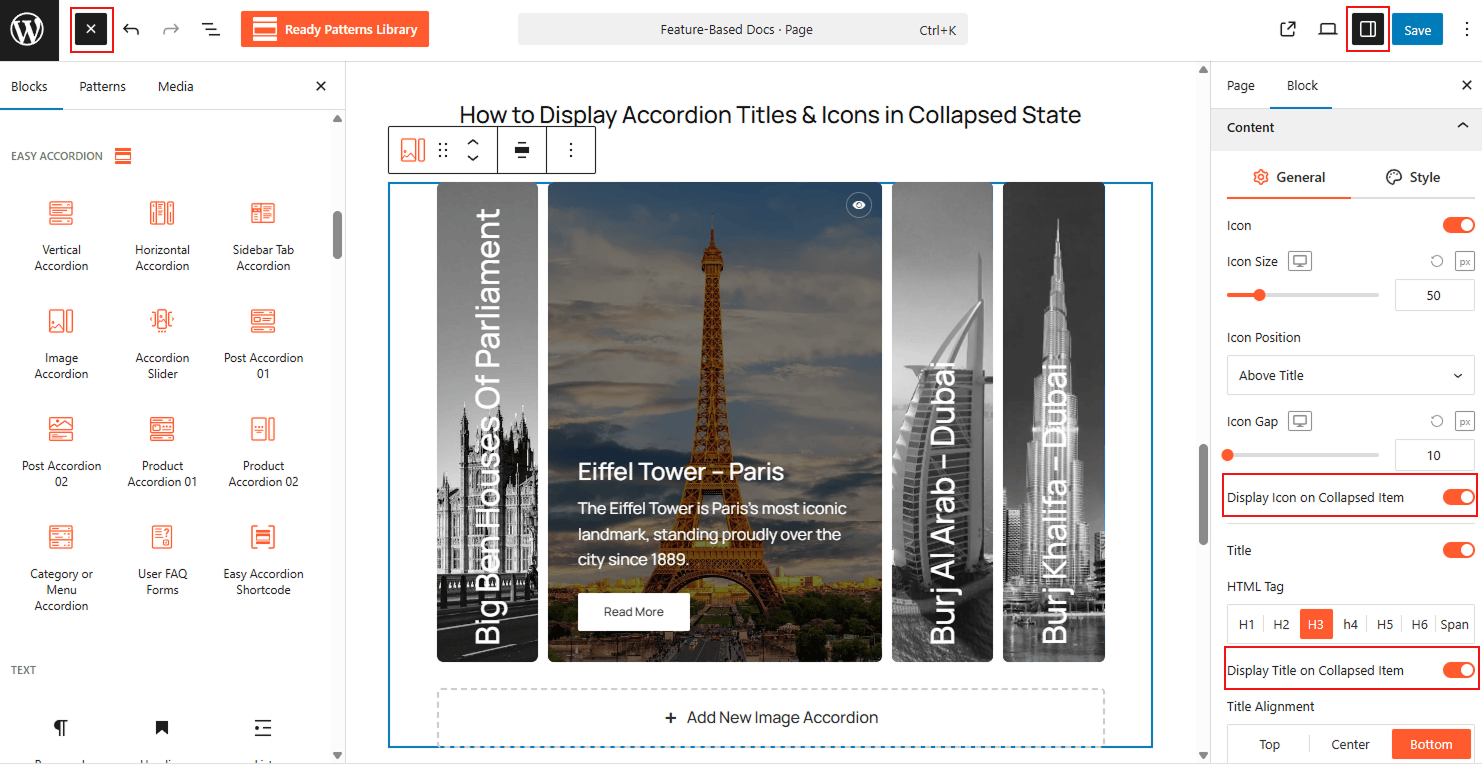
To Display Accordion Titles & Icons in Collapsed State:
- Insert the Image Accordion block (or your preferred accordion layout) into your page.
- Navigate to the Block Settings sidebar and open the Content tab.
- Within the General settings, find the Display Icon on Collapsed Item toggle and switch it to ON to show the icon.
- Toggle Display Title on Collapsed Item to ON if you want the title to remain visible as well.
- Customize the Icon Size, Icon Position, Icon Gap, and Title Alignment directly below these toggles to ensure the collapsed view matches your design.
To know how to configure, please visit the detailed documentation.
Let’s watch the Live Demo of how the Collapsed Titles & Icons work in Accordions.